Do I need to be a Razorpay merchant to use Payouts?
Yes, a Razorpay account with Payouts activated. The integration uses the Razorpay Payouts API, separate from the standard payment-acceptance product.
Link to this answerA Razorpay Payouts integration lets an employer release a whole salary run straight from payroll software, without preparing and uploading a bank file. Disburse monthly salary, reimbursement and bonus payouts directly through Razorpay Payouts, bank transfer, UPI, IMPS, NEFT and RTGS supported. One-click batch payouts at payroll close; auto-reconciliation back into WappBlaster.
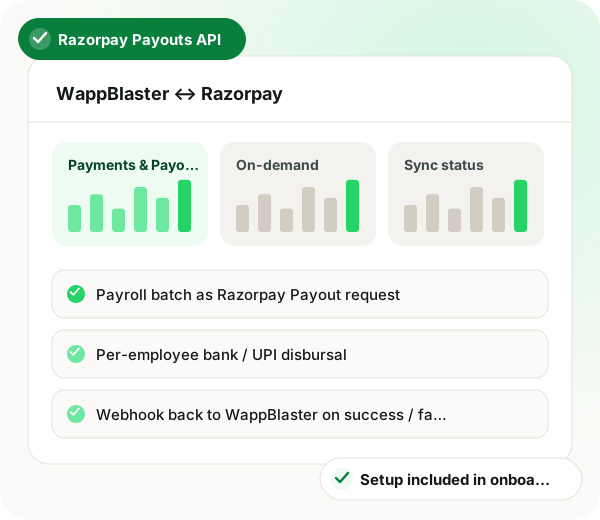
Razorpay payouts integration in brief
Razorpay Payouts integration in WappBlaster replaces the old routine of exporting a NEFT file and uploading it to a bank portal. Once Payouts API keys from the Razorpay Dashboard are pasted into WappBlaster settings, a closed payroll is released with one click and credited per employee by bank transfer, UPI, IMPS, NEFT or RTGS. Razorpay webhooks report each result back, so successful credits mark employees as paid while failures are flagged for corrected details and a retry for just that person. Approved expense claims and incentives can be paid the same day instead of waiting for month end, and daily-wage workers with a UPI handle receive money without a full bank setup. Going live takes about 30 minutes of preparation, covering keys, IFSC and UPI validation and a small test payout, after which each cycle needs around 30 seconds. Razorpay's own per-payout fee applies, and the service covers India only.
A Razorpay Payouts integration is a connection that sends a payroll batch to Razorpay so salaries and reimbursements are credited by bank transfer or UPI from one click.
WappBlaster sends the payroll batch to the Razorpay Payouts API at payroll close and reads Razorpay’s webhooks back, flagging any failed credit for a single-employee retry.
Indian SMBs drop the routine of building a NEFT file and uploading it to the bank portal.
Construction and seasonal workers with a UPI handle get credited without a full banking setup.
Field reps and medical representatives receive approved claims on the day of approval.
IFSC checks and UPI address verification run on the employee master before the first transfer.
A failed credit is flagged on the payroll dashboard so details can be fixed and only that person re-paid.
Data flow
WappBlaster Payroll ↔ Razorpay Payouts → Razorpay
Frequency: On-demand at payroll close
Setup
Generate API keys in Razorpay Dashboard → Payouts. Paste keys into WappBlaster settings.
~5 minutes
Run validation on the employee master, bank IFSC checks and UPI VPA verification before first disbursal.
~10 minutes
Run a test disbursal to a single employee with a small amount; confirm credit and webhook flow.
~15 minutes
From the next payroll cycle, one click at payroll close runs the entire batch through Razorpay. Webhook updates each employee's status in WappBlaster.
~30 seconds per cycle
Use cases
Replace the NEFT batch-file-upload-to-bank workflow with a single click. Razorpay Payouts handles the disbursal, retries failures, and reports back.
All Indian SMBs
Workers without proper bank accounts but with UPI handles get instant UPI credit. Particularly useful for daily-wage construction and seasonal workers.
Construction, agriculture, retail
Approved expense claims and incentive payouts go out the same day they are approved, not bundled with the next payroll. Improves rep cash-flow.
Field sales, pharma MR, delivery teams
Employers paying field and shift staff also read how attendance will change in India and the UAE, bulk WhatsApp for banks and fintech firms and measured returns from automation in India.
| Feature | Trigger | What is sent |
|---|---|---|
| Payroll close | One click on the closed payroll | The full salary batch as a Razorpay Payout request |
| Claim approved | An expense or incentive is approved | A same-day payout to that employee |
| Credit succeeds | Razorpay confirms the transfer | Webhook marks the employee as paid in WappBlaster |
| Credit fails | Razorpay reports a failed transfer | Webhook flags the employee for correction and retry |
Yes, a Razorpay account with Payouts activated. The integration uses the Razorpay Payouts API, separate from the standard payment-acceptance product.
Link to this answerRazorpay's webhook reports the failure to WappBlaster, the employee is flagged in the payroll dashboard, and the retry workflow lets you correct the bank details and re-run just that employee.
Link to this answerUPI requires a linked bank account, but some neobank options (Fi, Jupiter, etc.) make bank-account setup near-instant. For genuinely unbanked workers, the NEFT batch + cash-acknowledgment workflow continues to work alongside Razorpay Payouts.
Link to this answerRazorpay charges its standard Payouts fee per transaction (varies by mode, UPI/IMPS/NEFT). WappBlaster does not add anything on top.
Link to this answerRazorpay Payouts is India-only. UAE WPS SIF files continue to be generated for UAE bank upload; the Razorpay integration handles only the India side.
Link to this answerYes, they are compatible, and RazorpayX customers often use Payouts for salary specifically because the integration is tight.
Link to this answerNo, it is part of your WappBlaster plan. Razorpay's own per-payout charges still apply separately.
Link to this answerPaste your Razorpay Payouts API keys into WappBlaster, validate bank IFSC and UPI details, run a small test payout, then go live. Each later cycle takes about 30 seconds: one click at payroll close sends the whole batch.
Link to this answerYes. Approved claims and incentives are paid on the day of approval instead of waiting for the next payroll, which eases cash flow for field reps and medical representatives.
Link to this answerPick one that can credit UPI handles as well as bank accounts. WappBlaster pays construction and seasonal workers by UPI, and keeps the NEFT batch with cash acknowledgement for anyone without a bank account.
Link to this answerStill not answered?
Ask a real person. We reply on WhatsApp, usually within the hour.
Integration setup is part of onboarding, not a paid add-on. Bring your Razorpay account to the call and we will connect it together.