Can TradeIndia leads trigger WhatsApp messages automatically?
Yes. New leads and enquiries create a contact and fire an approved-template WhatsApp message immediately, with no manual export.
Link to this answerA TradeIndia WhatsApp integration turns enquiries from the TradeIndia B2B marketplace into instant chat conversations with buyers, backed by a contact record. New leads and enquiries on TradeIndia trigger an immediate WhatsApp message, create the contact and start the follow-up workflow, without anyone copying details out of a portal.
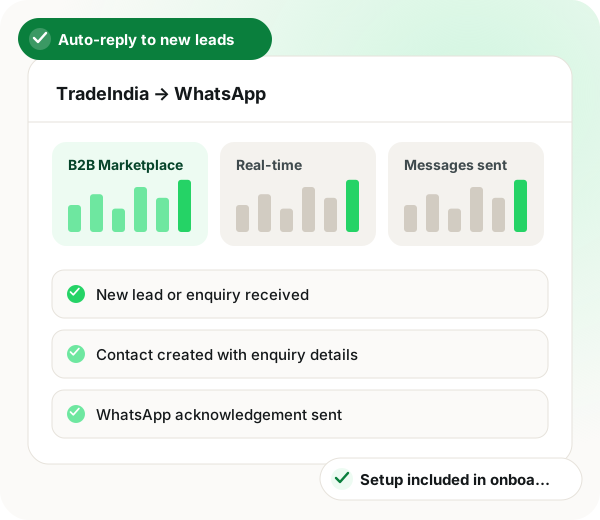
TradeIndia WhatsApp integration in brief
TradeIndia WhatsApp integration through WappBlaster removes the gap between a buyer posting an enquiry on the B2B marketplace and a supplier first replying. With permission to fetch leads from the seller account, every new enquiry is pulled in real time, saved as a CRM contact with the buyer details and enquiry text in super fields, and answered with a Meta-approved acknowledgement that poses one qualifying question. Replies feed a bot that records quantity, delivery spot and deadline, after which state-wise routing hands the lead to the rep covering that region. Quiet buyers get a short drip, and sent quotations trigger reminder nudges. Because IndiaMART and TradeIndia can share one CRM and inbox, management can compare lead quality across both, and marketplaces without a native connector can post leads to a generic webhook. Going live needs about 60 minutes over four steps, a third of it spent waiting on Meta to approve the template, and onboarding staff handle the wiring alongside you.
A TradeIndia WhatsApp integration is a link that fetches new marketplace leads, saves them as contacts and messages each buyer on WhatsApp straight away.
WappBlaster fetches leads from your TradeIndia seller account, sends an approved acknowledgement on the official Meta API and starts a follow-up drip, with no portal export.
Buyers hear back immediately instead of the next working day.
Quantity, delivery location and timeline are captured before staff step in.
Management can weigh TradeIndia lead quality against IndiaMART and paid ads.
Automatic nudges go out after a quotation is sent.
Distributed sales teams receive the enquiries from the states they cover.
Data flow
TradeIndia seller account → WappBlaster CRM and WhatsApp
Frequency: Real-time, as each lead arrives
Setup
Give WappBlaster permission to fetch new leads from that account.
~10 minutes
Buyer details and enquiry text into CRM super fields.
~10 minutes
An acknowledgement that asks one useful qualifying question.
~20 minutes including approval
A short drip for enquiries that go quiet.
~20 min
Use cases
Buyers hear back immediately rather than the next working day.
B2B sales
Quantity, delivery location and timeline captured before a human is involved.
Inside sales
Compare TradeIndia lead quality against IndiaMART and paid ads.
Management
All marketplace leads in one CRM and one inbox.
Sales ops
Automatic nudges after a quote is sent.
Sales
Route enquiries to the salesperson covering that state.
Distributed teams
Marketplace sellers also read choosing a WhatsApp tool as an Indian manufacturer, bulk WhatsApp for agri and commodity traders and chatbots that capture and qualify leads.
| Feature | Trigger | Message sent |
|---|---|---|
| New lead | A TradeIndia enquiry is fetched | Approved acknowledgement asking one qualifying question |
| Buyer engages | The buyer replies | Bot questions on quantity, location and timeline |
| Quote sent | A quotation goes to the buyer | Scheduled reminder nudges |
| Lead goes quiet | No reply after the acknowledgement | Short follow-up drip |
Yes. New leads and enquiries create a contact and fire an approved-template WhatsApp message immediately, with no manual export.
Link to this answerYes. Both are separate lead sources feeding the same CRM and inbox, so you can compare their lead quality side by side.
Link to this answerSend its leads to the generic webhook lead source, or pass them through Zapier, Make, Pabbly Connect or n8n. Any tool able to post data to a URL can create a lead this way.
Link to this answerThere is no add-on fee for it. The connection is set up with you during onboarding, so you simply bring the TradeIndia seller account to the call.
Link to this answerIt is a live integration, not an export. Leads are fetched from your seller account as they arrive, saved as contacts with the enquiry text and messaged on WhatsApp straight away.
Link to this answerIt should route each enquiry to the salesperson covering the buyer's state. WappBlaster does that after the acknowledgement goes out, so regional reps see only their own leads.
Link to this answerLink the seller account, map buyer details and enquiry text to CRM fields, approve an acknowledgement template and set a short follow-up drip. Plan for about an hour, Meta's template approval included.
Link to this answerYes. Once a quote goes out, scheduled reminder nudges follow on their own so the buyer is prompted to respond.
Link to this answerYes. Once the buyer answers, the bot gathers how much they need, where it must be delivered and by when, before anyone from your team joins.
Link to this answerYes. Leads are fetched in real time as each one arrives, so the acknowledgement goes out at night or on holidays with no one on duty.
Link to this answerStill not answered?
Ask a real person. We reply on WhatsApp, usually within the hour.
Integration setup is part of onboarding, not a paid add-on. Bring your TradeIndia account to the call and we will connect it together.