Which QuickBooks editions are supported?
QuickBooks Online (all regional editions, India, UAE, US, UK, Canada, Australia). QuickBooks Desktop is not currently supported via API but can use the export-file mode.
Link to this answerA QuickBooks payroll integration records each payroll run in your accounting books automatically, turning salary and deduction totals into ready journal entries. Push payroll journals, statutory liabilities, bank disbursal entries and approved expense claims from WappBlaster to QuickBooks Online via REST API. Real-time sync, multi-currency, audit-grade, for global SMBs running QuickBooks as their accounting system.
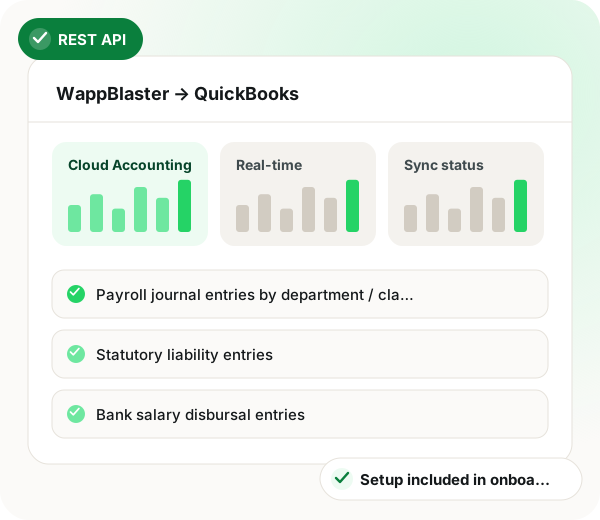
QuickBooks payroll integration in brief
QuickBooks payroll integration from WappBlaster writes finished payroll into QuickBooks Online through its REST API, so the accounting file mirrors each closed cycle without manual journals. Supported regional editions include India, UAE, US, UK, Canada and Australia; QuickBooks Desktop users fall back to an export file. At payroll close the sync posts salary journals split by department or class, statutory liabilities such as PF, ESI, PT, TDS and LWF for India or WPS for the UAE, bank disbursal lines and employee advances. Approved expense claims follow on approval with VAT or GST tax lines, GPS-stamped receipt PDFs and separate mileage items priced at each country's configured rate. Groups operating in several countries keep one QuickBooks company per location, with currency taken from where each employee works. Onboarding needs about 2 minutes to sign in through Intuit, 20 to map the chart of accounts and 30 for one parallel cycle before go-live.
A QuickBooks payroll integration is a connection that posts salary journals, statutory liabilities and approved expense claims into QuickBooks Online, so finance never re-keys payroll.
WappBlaster posts payroll and expense entries to QuickBooks Online over REST API at payroll close or on approval, with multi-currency support and no added charge.
SMBs that chose QuickBooks over Tally still get PF, ESI, PT and TDS journals with state tagging.
Staff in India, the UAE and the US sync into separate QuickBooks companies in their own currencies.
GPS-based distance claims arrive as separate mileage lines using each country’s configured rate.
Payroll journals land by department or class, ready for cost reporting.
Any QuickBooks journal opens to the per-employee detail behind it.
Data flow
WappBlaster Payroll → QuickBooks Online
Frequency: Real-time at payroll close
WappBlaster Expense → QuickBooks Online
Frequency: Real-time on approval
Setup
OAuth connect via Intuit, sign in to QBO once and grant WappBlaster scoped permissions to your company.
~2 minutes
Map WappBlaster salary, statutory and expense categories to QBO chart of accounts and classes. Templates for India, UAE, US/UK setups.
~20 minutes
Run one payroll cycle, watch journals appear in QBO, reconcile against expectations.
~30 minutes
From the next cycle, journals flow automatically. Drill-down to per-employee detail from any QBO journal.
~Zero ongoing time
Use cases
Indian SMBs that adopted QuickBooks Online instead of Tally get full PF / ESI / PT / TDS journal posting into QBO India edition with multi-state ledger tagging.
QBO-using Indian SMBs
Groups with staff in India, UAE and US (or other QBO regions) sync payroll for all three locations into separate QBO companies, with multi-currency support.
Cross-border SMBs
Auto distance reimbursement from WappBlaster's GPS route polylines flows into QBO as separate mileage line items, eligible for tax treatment per local rules.
Sales-heavy and field-services SMBs
Finance teams also read GST billing software that talks to WhatsApp, a software ROI case study from India and why Tally dealers add attendance software.
| Feature | Trigger | Entry posted |
|---|---|---|
| Payroll close | The monthly payroll run is finalised | Salary journal by department or class |
| Statutory liabilities | Deductions are calculated in the run | PF, ESI, PT and TDS entries for India, or WPS entries for the UAE |
| Salary disbursed | Bank payments are released | Bank disbursal entries |
| Expense claim approved | A manager approves a claim | Bill against the employee with VAT or GST tax lines |
| Mileage claim approved | A distance reimbursement is signed off | Separate mileage line item |
QuickBooks Online (all regional editions, India, UAE, US, UK, Canada, Australia). QuickBooks Desktop is not currently supported via API but can use the export-file mode.
Link to this answerYes, PF, ESI, PT (per state), TDS, LWF liabilities post to dedicated ledger heads. QBO India's localised tax engine handles the input credit logic.
Link to this answerYes. WappBlaster's per-employee location determines payroll currency and accounting currency, with auto exchange-rate conversion on posting if companies share a base currency.
Link to this answerYes, receipt PDFs (with GPS-stamped metadata) attach to the QBO bill / journal entry. Audit trail preserved end-to-end.
Link to this answerExpense reimbursements typically post as journals on the employee, not bills. If you prefer bill-based reimbursement, the mode is configurable.
Link to this answerPer-country mileage rates configurable. Auto distance reimbursement uses the rate matching the employee's country of work.
Link to this answerNo. It comes with your WappBlaster plan at no added charge.
Link to this answerSign in through Intuit once, map salary, statutory and expense categories to your chart of accounts, run one cycle in parallel, then go live. From the following cycle, journals post by themselves at payroll close.
Link to this answerYes. UAE staff post WPS entries into QuickBooks Online, and a group with people in India, the UAE and the US can sync each location into its own QuickBooks company and currency.
Link to this answerIt needs to post PF, ESI, PT and TDS into QuickBooks Online India with state tagging. WappBlaster handles that and also splits each salary journal by department or class.
Link to this answerStill not answered?
Ask a real person. We reply on WhatsApp, usually within the hour.
Integration setup is part of onboarding, not a paid add-on. Bring your QuickBooks account to the call and we will connect it together.