Can n8n send WhatsApp messages?
Yes, through an HTTP Request node calling the WappBlaster send API, which delivers on the official Meta WhatsApp Business Platform.
Link to this answerAn n8n WhatsApp integration connects open-source workflow automation to the WhatsApp Business Platform, so your own servers can trigger customer messages. Send WhatsApp messages from n8n workflows. Because n8n can be self-hosted, this is the route for teams whose data cannot pass through a third-party automation cloud, and for anyone who wants unmetered runs.
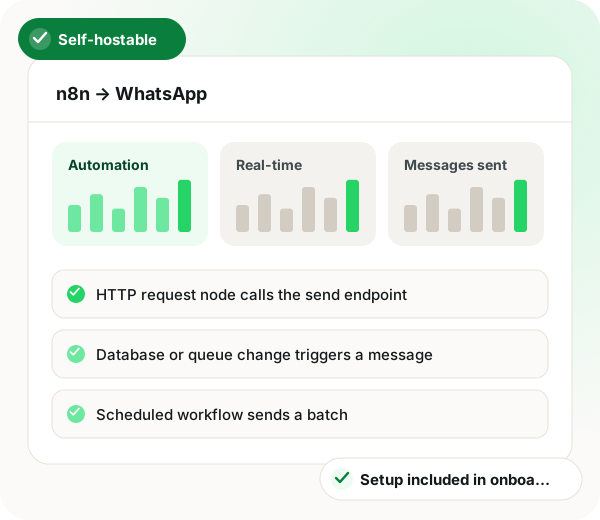
N8n WhatsApp integration in brief
n8n WhatsApp integration through WappBlaster is the route for teams that cannot let customer records pass through a third-party automation cloud. Because n8n can run on your own servers, a workflow reads from your database, queue or internal tools, then an HTTP Request node posts the recipient number, template name and variables to the WappBlaster send endpoint, which delivers over Meta's official WhatsApp Business Platform. Data stays inside your infrastructure up to that single outbound call. Self-hosted runs carry no per-task metering, so high-volume batches, cron-driven daily sends and on-call alerts from on-premise systems cost nothing extra on the automation side. The trade-off is ownership: someone must patch and maintain the n8n host, and the setup assumes comfort with JSON and auth headers. Wiring it takes roughly 30 minutes in four steps, from generating API credentials to a test send on your own number, and onboarding covers the connection free.
An n8n WhatsApp integration is a workflow setup where an n8n HTTP Request node calls a messaging API, sending WhatsApp messages from cloud or self-hosted automations.
WappBlaster gives n8n a send endpoint that delivers through Meta’s official WhatsApp Business Platform; self-hosted teams keep customer data in-house until the send.
IT and DevOps teams notify staff on WhatsApp from systems that cannot reach a public automation cloud.
A changed row in your own database can trigger the matching customer message.
A scheduled workflow builds and sends a daily batch without manual steps.
Regulated firms keep customer records inside their own servers until the moment of sending.
High-volume automation on self-hosted n8n avoids the per-run charges of hosted tools.
Data flow
n8n workflows (cloud or self-hosted) → WappBlaster (WhatsApp send)
Frequency: Real-time or scheduled
Setup
Generate WappBlaster API access for the sending channel.
~5 minutes
Point it at the WappBlaster send endpoint with your auth header.
~10 minutes
Recipient number, template name and variables from the previous node's output.
~10 minutes
Test against your own number first, then activate.
~5 minutes
Use cases
Internal systems that cannot reach a public automation cloud still notify over WhatsApp.
IT and DevOps
A row change in your own database sends the customer message.
Engineering
Cron-style workflows that assemble and send a daily batch.
Operations
Customer data stays inside your infrastructure until the moment of send.
Regulated industries
Self-hosted n8n has no per-task charge, which matters at scale.
Technical teams
Engineering teams also read a guide to the bulk message sender API, GDPR-compliant WhatsApp automation for B2B and secure development and data compliance.
| Feature | Trigger | Message sent |
|---|---|---|
| Database change | A row is inserted or updated in your database | Template message to the customer on that row |
| Queue event | A job lands on an internal queue | Notification built from the job payload |
| Schedule fires | An n8n cron node runs | A daily batch of templated messages |
| Internal system alert | An on-premise tool raises an event | WhatsApp alert to the on-call staff member |
Yes, through an HTTP Request node calling the WappBlaster send API, which delivers on the official Meta WhatsApp Business Platform.
Link to this answerTwo reasons: it can be self-hosted, so sensitive data never leaves your infrastructure, and self-hosted runs are not metered per task. The trade-off is that you are running and maintaining the infrastructure yourself.
Link to this answerRealistically yes. n8n assumes comfort with HTTP requests, JSON and authentication headers. Non-technical teams are better served by the built-in automations builder.
Link to this answerWappBlaster adds no integration fee, because connecting n8n is handled in onboarding. On a self-hosted n8n there is also no per-task charge for the runs themselves.
Link to this answerYes. An HTTP Request node on n8n cloud or on your own server calls the send endpoint, and customer data stays in your infrastructure until the message leaves.
Link to this answerIt should keep records on your servers until sending and deliver through Meta's official platform. Self-hosted n8n with WappBlaster's send endpoint fits that brief, though you take on running and patching the servers.
Link to this answerGenerate API credentials, add an HTTP Request node aimed at the send endpoint with your auth header, map the recipient, template name and variables, then test on your own number before activating. Allow around half an hour.
Link to this answerYes. When a row is inserted or updated, the workflow can message the customer named on that row with a template.
Link to this answerYes. A cron node can assemble a daily set of templated messages and send it with no one pressing a button.
Link to this answerYes. An event from an on-premise tool or an internal queue can become a WhatsApp alert to whoever is on call, even when that system cannot reach a public automation cloud.
Link to this answerStill not answered?
Ask a real person. We reply on WhatsApp, usually within the hour.
Integration setup is part of onboarding, not a paid add-on. Bring your n8n account to the call and we will connect it together.