Shopify WhatsApp integration: WappBlaster cart recovery, COD confirmation and order tracking
A Shopify WhatsApp integration connects an online store's checkout and order events to WhatsApp, so buyers get timely prompts and updates in their chat app. Recover abandoned carts, confirm orders, send tracking links and collect feedback over WhatsApp. For Indian stores the two that pay for themselves fastest are COD confirmation before dispatch and COD-to-prepaid conversion.
Shopify WhatsApp integration through WappBlaster matters most for Indian stores that take cash-on-delivery orders, because a refused parcel costs more than nearly any message. The store connects to WappBlaster's official Meta API channel in around 10 minutes, and five events then drive automations: abandoned carts, new orders, fulfilment with tracking, delivery and COD checkouts. A COD buyer is asked on WhatsApp to confirm before dispatch and is offered a small discount for paying online instead, while abandoned carts receive a link back to the saved basket and a coupon on a later nudge. Order, shipping and delivery notices qualify as utility templates, which Meta bills below its marketing rate, and template review takes roughly an hour. After delivery a review request goes out, and segments built on last order date power win-back offers. Setup finishes in one onboarding session with no separate WappBlaster connection fee.
What is a Shopify WhatsApp integration?
A Shopify WhatsApp integration is a connection that turns store events, such as an abandoned cart, a new order or a cash-on-delivery checkout, into automatic WhatsApp messages to the buyer.
WappBlaster links your Shopify store to its official Meta API channel, so COD buyers confirm before dispatch and order updates go out as cheaper utility templates.
COD confirmation and a prepaid-switch offer are the flows Indian stores see pay back first.
Order, shipping and delivery notices bill at Meta’s utility rate, not the marketing rate.
Cart recovery can add a coupon on a later nudge if the first reminder is ignored.
Shopify WhatsApp integration benefits
Cash-on-delivery checks
Buyers who picked COD reply on WhatsApp before the parcel ships, so fewer orders return to origin.
Prepaid conversion offer
A small online-payment discount sent at checkout normally costs a store less than one returned parcel.
Abandoned cart reminders
Shoppers get a link straight back to the cart they left, with a coupon held for a follow-up.
Tracking messages
Dispatch and tracking links reach the buyer’s chat, which cuts order-status tickets.
Post-delivery reviews
A feedback request lands while the delivery is fresh in the buyer’s mind.
Lapsed customer win-back
Segments built on last order date get a fresh WhatsApp offer.
Data flow
What moves between Shopify and WappBlaster
Shopify → WappBlaster
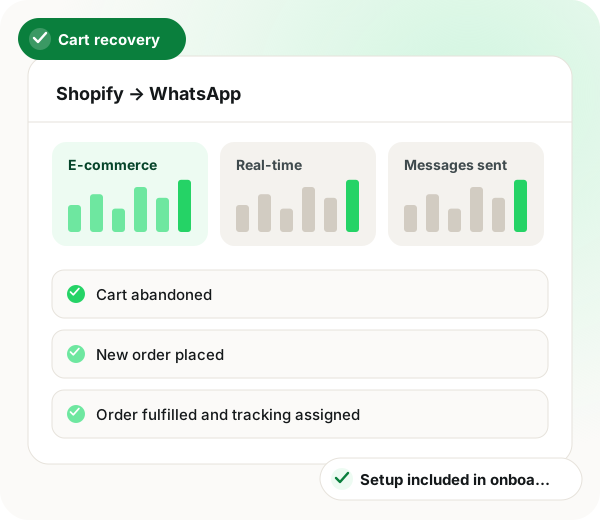
Shopify store → WappBlaster (WhatsApp automations)
Cart abandoned
New order placed
Order fulfilled and tracking assigned
Order delivered
COD order placed
Frequency: Real-time, on store event
Setup
Shopify WhatsApp integration setup
1
Connect the store
Link your Shopify store to the WhatsApp API channel.
~10 minutes
2
Get utility templates approved
Order confirmation, shipping and delivery templates. These bill at the lower utility rate.
~1 hour including Meta review
3
Build the workflows
Cart recovery sequence, order confirmation, tracking update, feedback request.
~30 minutes
4
Set up cash-on-delivery flows
A WhatsApp check that the buyer still wants the COD order before it ships, plus an offer to switch to prepaid when the order is placed.
~20 minutes
Use cases
Shopify WhatsApp integration use cases
Abandoned cart recovery
A follow-up sequence that takes the shopper straight back to their saved cart, adding a coupon if the first nudge does not land.
D2C growth
Verify COD orders
Ask cash-on-delivery buyers to confirm on WhatsApp before the parcel leaves, cutting return-to-origin losses.
Fulfilment
COD to prepaid conversion
Offer a small discount to pay online, which usually costs less than one RTO.
Finance
Order and tracking updates
Confirmation, dispatch and tracking messages that remove most 'where is my order' tickets.
Customer support
Post-delivery feedback
Ask for feedback or a review while the delivery is still fresh.
Marketing
Win-back campaigns
Segment on last order date and message lapsed customers.
Reminder with a link to the saved cart, then a coupon
COD order placed
A buyer chooses cash on delivery
Confirm-before-dispatch request plus a prepaid discount offer
New order placed
Any order is created
Order confirmation utility template
Order fulfilled
Tracking is assigned to the shipment
Dispatch notice with the tracking link
Order delivered
The carrier marks it delivered
Feedback or review request
When a Shopify WhatsApp integration is not a fit
WhatsApp charges per message while email does not, so a store with low order values should judge cart recovery on recovered revenue against message cost.
Stores that take almost no cash-on-delivery orders lose the biggest reason to connect, and may get by with email for order updates.
Shopify WhatsApp integration FAQ
How do I connect Shopify to WhatsApp?
Link the store to your WhatsApp API channel, get the utility templates approved, then build the automation workflows for cart abandonment, order confirmation and shipping updates. Setup is usually done in one session.
Does offering a prepaid discount on COD orders actually pay off?
Usually, yes. The moment someone chooses cash on delivery, an automatic WhatsApp message invites them to pay online for a small discount. Shoppers who have already paid do not turn the courier away, and for Indian stores the cost of one returned parcel is normally well above that discount.
No. Because order confirmations, shipping notices and delivery updates relate to a purchase, they go out as utility templates, which Meta bills at its cheaper utility price.
It usually reaches far more people on mobile-first audiences, because promotional email often is not opened. The honest caveat is that WhatsApp charges per message and email does not, so judge it on recovered revenue against message cost.
How much does a Shopify WhatsApp integration cost with WappBlaster?
WappBlaster charges no separate fee to connect the store; setup happens in onboarding. Meta still bills each message, with order updates at its lower utility rate.
Is WappBlaster a Shopify WhatsApp integration for COD orders?
Yes. When a buyer chooses cash on delivery, WappBlaster asks them to confirm on WhatsApp before dispatch and offers a small discount for switching to prepaid.
What is the best Shopify WhatsApp integration for an Indian D2C store?
Look for COD confirmation, COD-to-prepaid offers and cart recovery on the official API, since those cut return-to-origin losses first. WappBlaster runs all three next to tracking and review messages.
Usually one session. Connecting the store takes about 10 minutes, Meta's template review around an hour, the workflows about 30 minutes and the COD flows about 20.