How do I send WhatsApp messages from WooCommerce?
Connect the store, approve the utility templates for order events, and build workflows for the events you care about: abandoned cart, new order, status change and completion.
Link to this answerA WooCommerce WhatsApp integration links a WordPress shop to WhatsApp so that carts, orders and delivery changes produce customer messages by themselves. Abandoned cart recovery with discount codes, new order notifications and status updates over WhatsApp for your WooCommerce store, plus a chat widget and lead-grabber buttons for the WordPress site around it.
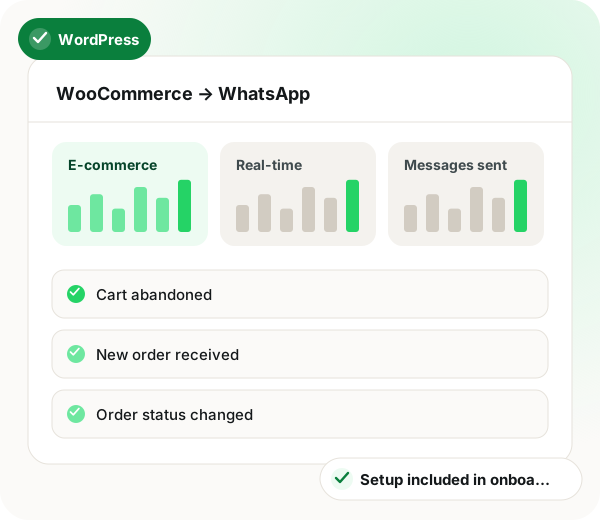
WooCommerce WhatsApp integration in brief
WooCommerce WhatsApp integration by WappBlaster covers both the store and the WordPress site around it. Four store events, namely an abandoned cart, a new order, a status change and a completed order, trigger messages over WappBlaster's official Meta API channel. Cart recovery runs as a sequence whose later steps carry a discount code in the limited-time-offer format, which shows a visible expiry countdown inside the chat. New orders alert the customer and the fulfilment team together, processing and shipped updates go out without support typing them, and completion sends a review request. On the site itself, a WhatsApp icon with click-to-action lead buttons and a pre-chat form captures pre-sales questions about size, stock or delivery and can start an automation directly. Order templates are utility templates that need Meta review of roughly an hour, while linking the store itself takes about 10 minutes. Meta bills every message, so tiny shops should compare recovered sales with message spend.
A WooCommerce WhatsApp integration is a connection that sends cart reminders, order alerts and status updates from a WordPress store to customers on WhatsApp automatically.
WappBlaster connects WooCommerce to its official Meta API channel and adds a WordPress chat widget with lead buttons whose pre-chat form can start an automation.
Store owners send a discount code that brings the shopper back to the exact cart.
Fulfilment staff and the buyer hear about a new order at the same moment.
Processing, shipped and completed changes reach the customer without support typing them.
A WhatsApp icon with a pre-chat form captures leads from site visitors.
A post-delivery message asks for a product review.
Data flow
WooCommerce store → WappBlaster (WhatsApp automations)
Frequency: Real-time, on store event
Setup
Link the store to your WhatsApp channel.
~10 minutes
New order, status update and delivery templates.
~1 hour including Meta review
A sequence with a discount coupon on the later steps.
~20 minutes
WhatsApp icon and click-to-action lead buttons on the WordPress site.
~10 minutes
Use cases
Discount code sent over WhatsApp to bring the shopper back to a specific cart.
Store owners
Customer and internal team both notified the moment an order lands.
Fulfilment
Processing, shipped and completed statuses pushed automatically.
Support
A WhatsApp button on the storefront with a pre-chat lead form.
Marketing
Size, stock and delivery queries answered before checkout.
Sales
A post-delivery WhatsApp asking for a product review.
Growth
WordPress sellers also read a WooCommerce and WhatsApp API setup guide, loyalty coupons sent after purchase and chatbots for online stores.
| Feature | Trigger | Message sent |
|---|---|---|
| Cart abandoned | Checkout is left unfinished | Reminder sequence, with a discount code on later steps |
| New order received | WooCommerce records an order | Confirmation to the buyer and an alert to the team |
| Status changed | Order moves to processing or shipped | Status update template |
| Order completed | The order is marked complete | Delivery note and a review request |
Connect the store, approve the utility templates for order events, and build workflows for the events you care about: abandoned cart, new order, status change and completion.
Link to this answerYes, and it is worth using the limited-time-offer template format, which shows the code with a visible expiry countdown inside WhatsApp.
Link to this answerYes. The chat widget and click-to-action lead-grabber buttons are documented for WordPress and WooCommerce, and pre-chat form data can feed straight into an automation.
Link to this answerConnecting the store carries no separate WappBlaster fee, because setup is done during onboarding. Meta still bills each WhatsApp message, so a small shop should weigh recovered carts against that cost.
Link to this answerYes. New order, status and delivery messages use utility templates, which must pass Meta's review before the workflow goes live; allow around an hour for it.
Link to this answerChoose one that puts a discount code with a visible expiry inside the reminder. WappBlaster uses the limited-time-offer format on the later steps of the sequence to bring the shopper back to the exact cart.
Link to this answerYes. When an order is recorded, the buyer gets a confirmation and your fulfilment staff get an alert at the same moment.
Link to this answerYes. Moving an order to processing or shipped sends a status update template automatically, so support does not have to type it.
Link to this answerYes. When the order is marked complete, a delivery note goes out together with a request to review the product.
Link to this answerA little under two hours. Connecting takes about 10 minutes, template approval about an hour, cart recovery about 20 minutes and the chat widget about 10.
Link to this answerStill not answered?
Ask a real person. We reply on WhatsApp, usually within the hour.
Integration setup is part of onboarding, not a paid add-on. Bring your WooCommerce account to the call and we will connect it together.