Is the data real-time or polled?
Both options. Real-time push for event-driven datasets (new punch, approved claim). Scheduled refresh for snapshot datasets (monthly registers).
Link to this answerA Google Sheets HR integration keeps a spreadsheet copy of your workforce records updated on its own, so reports never depend on manual exports. Auto-export any WappBlaster dataset, attendance, payroll, field tracking, expenses, leave balances, into Google Sheets in real-time. Build custom dashboards, share with CAs, and pivot data without giving sheet users direct WappBlaster access.
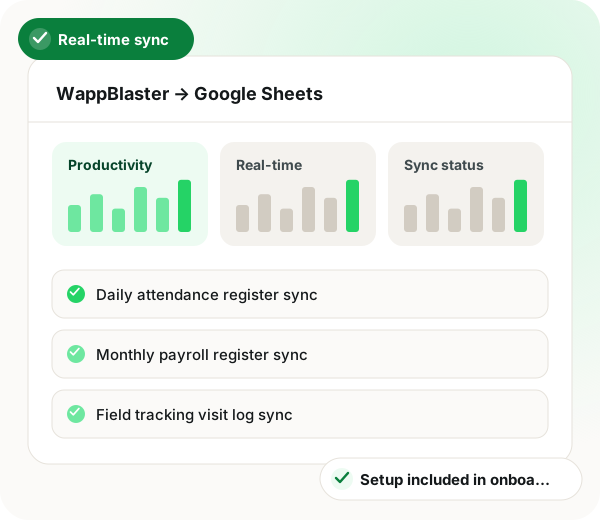
Google Sheets HR integration in brief
Google Sheets HR integration from WappBlaster gives owners and their chartered accountants a live spreadsheet view of workforce data without creating extra logins for anyone. Five registers can be synced: daily attendance, monthly payroll, field visit logs, expense claims and leave balances, each into its own sheet inside one Drive folder that the business authorises through Google sign-in. Event datasets such as a fresh punch or an approved claim push the moment they happen, while snapshot registers refresh hourly, daily or once per payroll cycle. Datasets beyond 10,000 rows are paginated, and very large histories are usually split into quarterly or yearly tabs. Columns you add next to synced data are kept, though edits inside synced columns are replaced at the next refresh. Sensitive identifiers like Aadhaar, PAN and full bank numbers can be masked. Setup runs about 17 minutes across three steps, and the connection costs nothing beyond the existing WappBlaster plan.
A Google Sheets HR integration is a link that copies attendance, payroll, leave and expense records into spreadsheets automatically, so people can build reports without logging into the HR system.
WappBlaster syncs each chosen dataset to its own Google Sheet in real time or on an hourly, daily or per-cycle schedule, with the connection included in the plan.
Your chartered accountant reviews payroll and statutory figures in a read-only sheet instead of a new account.
Operations leads chart attendance rate, OT ratio and expense per head with ordinary Sheets tools.
Punches can push as they happen while monthly registers refresh once per cycle.
Sales ops teams run bonus maths on exported rep data and feed results back to payroll inputs.
Groups with several companies keep each one’s reports in a separate Drive folder.
Data flow
WappBlaster (all modules) → Google Sheets
Frequency: Real-time, hourly, daily, or per cycle (configurable)
Setup
OAuth via Google, sign in once and grant WappBlaster scoped permission to a specific Drive folder.
~2 minutes
Pick which WappBlaster datasets sync to which Google Sheets. New sheets are auto-created; existing sheets can be linked.
~10 minutes
Real-time (push on event), hourly, daily, or per payroll cycle. Different datasets can have different cadences.
~5 minutes
Pivot tables, charts, conditional formatting, everything Google Sheets supports works on live WappBlaster data. Share read-only with your CA.
~As needed
Use cases
Share a Google Sheet with your CA. They review payroll, statutory, expense and attendance in one place, no separate WappBlaster login needed.
Owners + CAs
Build a custom dashboard pulling attendance rate, OT ratio, expense per head and beat coverage % into one sheet, with the charts you actually want.
Finance + operations leads
Per-rep / per-store performance data exports into a Sheet where bonus and incentive formulas run, then results flow back into WappBlaster's payroll inputs.
Sales operations, retail ops
Teams building reports from HR data also read how AI spots anomalies in workforce records, ways to connect WhatsApp and a CRM by API and posting payroll into QuickBooks Online.
| Feature | Trigger | What lands in the sheet |
|---|---|---|
| Attendance punch | A staff member checks in or out | A new row on the daily attendance register |
| Payroll cycle closes | The monthly run is finalised | The payroll register for that month |
| Expense claim approved | A manager signs off a claim | The claim added to the expense register |
| Field visit logged | A rep records a visit | An entry on the visit log sheet |
| Leave balance changes | Leave is taken or credited | Updated balances on the leave sheet |
Both options. Real-time push for event-driven datasets (new punch, approved claim). Scheduled refresh for snapshot datasets (monthly registers).
Link to this answerYes, that is the main use case. Sheet readers get the data without needing WappBlaster credentials. Read-only sharing keeps source data safe.
Link to this answerSynced rows are tagged; edits to synced columns are overwritten on next refresh. Add your own columns next to synced ones for custom calculations and formatting, those are preserved.
Link to this answerYes, pagination for >10,000 row datasets. Larger volumes are typically split into yearly or quarterly sheets.
Link to this answerOnly the datasets you explicitly choose. Sensitive fields (Aadhaar, full bank, PAN) can be masked or excluded. Sheet inherits your Google Workspace security policies.
Link to this answerYes, each WappBlaster company / organisation can sync to its own set of sheets. Common pattern: per-company Drive folder with all reports inside.
Link to this answerYes, included in the WappBlaster plan.
Link to this answerSign in with Google once, choose the attendance register as a dataset and set it to push in real time. Every check-in or check-out then lands as a fresh row, and the whole setup takes under 20 minutes.
Link to this answerYes. Pivot tables, charts and conditional formatting all run on the synced data, so an owner can build one KPI dashboard covering attendance rate, OT ratio, expense per head and beat coverage.
Link to this answerLook for one that exports per-rep performance data and lets the results return to payroll. WappBlaster syncs that data into a sheet where your incentive formulas run, and the outcomes then feed its payroll inputs.
Link to this answerStill not answered?
Ask a real person. We reply on WhatsApp, usually within the hour.
Integration setup is part of onboarding, not a paid add-on. Bring your Google Sheets account to the call and we will connect it together.