WhatsApp Customer Support Automation: Answer First Questions Before Customers Ask
WhatsApp customer support automation uses automated WhatsApp messages to handle routine help requests before a person needs to step in. Save hours managing angry customer calls. Instantly direct inbound support calls to your WhatsApp resolution desk with digital troubleshooting guides.
WhatsApp customer support automation does not have to mean a branching chatbot, and WappBlaster offers the simpler version for electronics shops, broadband services and small e-commerce sites swamped by where-is-my-order calls. The page notes that agencies can charge upwards of ₹50000 to program a basic press-1, press-2 WhatsApp API chatbot on Dialogflow, before monthly retainers. With WappBlaster installed on a dedicated support number, the agent connects briefly, explains that technical issues are handled on WhatsApp, and ends the call; the app then sends the FAQ guide and a link to open a ticket in tools such as Zendesk or Freshdesk. A digital catalog set up as a help centre page, with instructional videos and manuals, lets many customers solve minor problems themselves. After-hours coverage is the strongest practical gain: a customer who rings at 2:00 AM gets a missed-call reply with the ticket link and a self-help guide, plus a note that the issue will be escalated at 9:00 AM. Warranty claims get the form PDF.
What is WhatsApp customer support automation?
WhatsApp customer support automation answers routine customer questions through WhatsApp, sending help guides, ticket links or after-hours replies so fewer calls reach your human team.
WappBlaster is a post-call tool rather than a branching chatbot: after a support call or missed call it sends your FAQ link, Zendesk or Freshdesk ticket URL, or warranty PDF.
Basic API chatbots can cost ₹50000 to build, per the page.
A help-centre catalog can deflect up to half of minor queries.
Setup needs no code: type the message and pick the attachment.
WhatsApp customer support automation benefits
Ticket routing
Callers receive your helpdesk link the moment the call ends.
After-hours reply
A 2 AM missed call gets a polite we-open-at-9 message.
Self-help guides
Manuals and videos in a catalog page solve simple issues.
Attachment support
Send installation diagrams or claim forms as PDFs.
SMB customer support in India before WhatsApp automation
If you operate an electronics shop, a broadband service, or an e-commerce site, you suffer from constant inbound support calls. Customers calling to ask 'Where is my order?' or 'How do I install this router?'. Managing these calls manually blocks your sales lines and exhausts your staff.
Complex chatbots vs simple WhatsApp support automation
Agencies charge upwards of ₹50000 just to program a basic 'Press 1 for Sales, Press 2 for Support' WhatsApp API Chatbot utilizing Dialogflow. Not to mention the monthly retainer fees. Small businesses cannot sustain this overhead. They need a micro-SaaS intervention that handles support triaging automatically without dense API decision trees.
Customer support triage through post-call automation
Configure WappBlaster on your dedicated 'Support Number'. When a customer calls, let the call connect briefly, then instruct them, 'We deal with tech issues exclusively on WhatsApp. I am sending you our troubleshooting portal now.' You disconnect the call. WappBlaster automatically texts them your comprehensive FAQ guide and a link to open a WhatsApp support ticket.
Deflecting 50% of customer support volume on WhatsApp
By pre-emptively texting the caller a thorough Digital Catalog link configured as a 'Help Center Page' containing instructional videos and product manuals immediately after the call drops, you organically deflect up to 50% of minor support queries. The customer reads the manual on WhatsApp and resolves the issue themselves without holding up your human operators.
After-hours WhatsApp customer support
Customer emergencies do not respect 9-to-5 schedules. When a customer calls your business line at 2:00 AM demanding support, the missed call triggers WappBlaster dynamically. The software immediately replies: 'Thank you for calling. Our offices are currently closed, but please submit your query via the link below or read our instant-help guide. We will escalate this issue at 9:00 AM.' You maintain total operational professionalism even while asleep.
WhatsApp customer support automation: support moments
Feature
What the team does
What WappBlaster does
Router setup question
Short call
Sends installation guide link
After-hours call
Office closed
Sends ticket link and hours
Warranty claim
Explains the process
Sends claim form PDF
Where is my order
Takes the call
Sends help-centre link
When WhatsApp customer support automation is the wrong choice
If you need a conversational bot with menus that answers inside the chat, choose an API chatbot platform; this sends one message after a call.
Support teams of many agents sharing one number from desktops need a shared-inbox product.
WhatsApp customer support automation FAQ
Is WappBlaster classified strictly as a conversational Chatbot?
No, it is a Post-Call Automation tool. Rather than maintaining a branching conversation ('Press 1 for X'), it acts as the immediate first-line responder, diverting telephone traffic to digital resource hubs.
How does an automated WhatsApp message save money in support costs?
Labor is the biggest support cost. By instantly text-routing customers to self-help portals and digital manual forms the exact moment a call ends, you drastically reduce the sheer volume of 10-minute 'how-to' calls your team has to handle.
Can I use WappBlaster to direct callers to a formalized ticketing system (like Zendesk)?
Absolutely. Simply configure your unique Zendesk or Freshdesk support ticket URL as the hyperlinked payload inside the WappBlaster template setting. Call ends -> Link sent -> Ticket opened perfectly.
What is the optimal template message for an after-hours support hook?
A proven template: 'Hello from [Company]. We apologize for missing your call. If this is an urgent support request, please tap this link [URL] to submit your order number and priority issue, and our morning team will immediately process it.'
Does it support multimedia attachments for support?
Yes, you can configure WappBlaster to attach a specific PDF, such as a 'Common Warranty Claim Form' or an 'Installation Diagram', and fire it off instantly after any inbound query call.
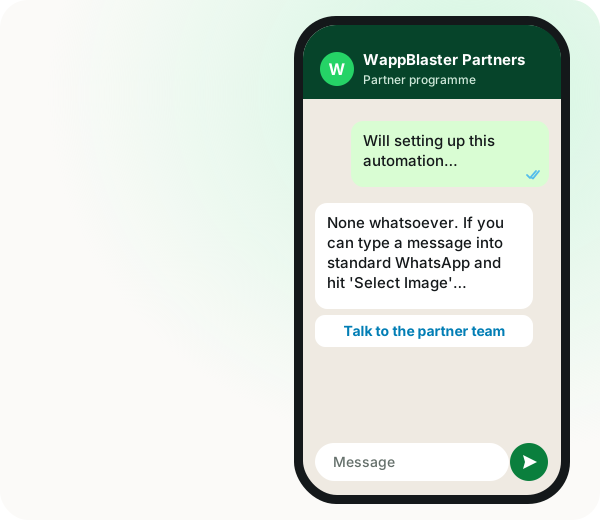
Will setting up this automation require technical coding?
None whatsoever. If you can type a message into standard WhatsApp and hit 'Select Image' from your gallery, you are sufficiently qualified to program WappBlaster's entire customer support logic.
Is WappBlaster WhatsApp customer support automation?
Yes, of the post-call kind. After a support call or missed call it sends your FAQ link, Zendesk or Freshdesk ticket URL, or a warranty PDF, rather than running a menu-driven chatbot.
What is the best WhatsApp customer support automation for a small support team?
A post-call message that routes callers to self-help and ticket links needs no code and no bot build; the page says basic API chatbots can cost ₹50000. Teams wanting in-chat menus should choose an API chatbot platform.