WhatsApp Business Number Blocked: What to Do Now and How to Prevent It
A WhatsApp business number block is a restriction Meta places on a sending number, limiting or stopping its messages after poor recipient feedback. Numbers rarely die suddenly. The warning shows up in a dashboard most businesses never open until something has already broken.
A WhatsApp business number blocked by Meta rarely fails without warning, and this WappBlaster guide centres on the signal most owners never check: the quality rating in Business Manager, shown as green, yellow or red according to how recipients reacted over a rolling window. A drop to yellow arrives days or weeks before a restriction, so a 2-minute weekly look at the rating is the cheapest protection available. When it turns yellow, the advice is to stop the offending campaign at once, find the segment that generated complaints, remove contacts who have not engaged in months and pause promotions to that group for a fortnight, after which the rating can recover by itself. A restricted number is often throttled rather than deleted, and appeals that explain what changed fare better than claims of innocence. Buying a fresh number is the worst response, since it loses customer history and repeats the pattern faster. Using the official platform, as WappBlaster does, makes these rules visible without making any number unblockable.
Why does a WhatsApp business number get blocked?
A WhatsApp business number usually gets blocked after recipients report or ignore its messages, pushing Meta's quality rating from green to yellow to red over days or weeks.
WappBlaster uses the official Meta platform, so every template is cleared before sending, your number's rating stays visible, and a restriction can be appealed.
A yellow rating is the early warning; check it weekly in Business Manager.
Stop the offending campaign at once and rest that segment for two weeks.
Buying a fresh number repeats the problem and loses every saved contact.
WhatsApp business number blocked benefits
Visible quality rating
Official sending shows the green, yellow or red status before a restriction hits.
Pre-approved templates
Messages are cleared in advance, so the rules are known before you send.
Appeal route
A restricted number can be appealed through Business Manager.
Recoverable restrictions
Throttled numbers often recover once the damaging sends stop.
Durable number identity
Keeping one number preserves chat history and the contacts who saved it.
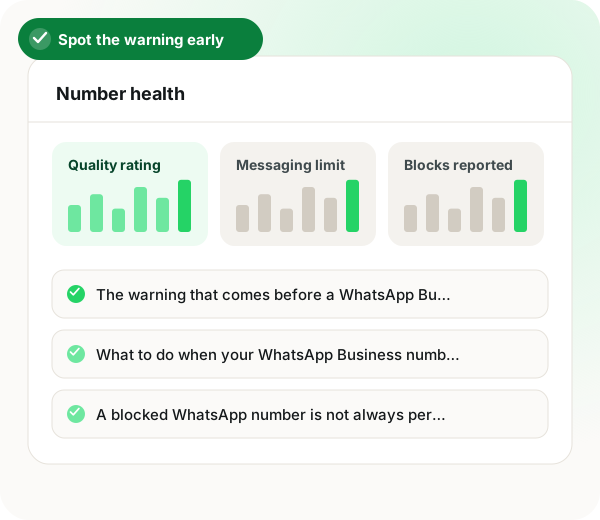
The warning that comes before a WhatsApp Business number is blocked
Meta assigns each sending number a quality rating, shown as green, yellow or red in the Business Manager, based on how recipients have reacted over a rolling window. A drop to yellow is a warning that arrives days or weeks before a restriction, and it is the single most useful signal available to you. Most businesses that lose a number never looked at it. If you send marketing messages at any volume, checking that rating weekly is a two-minute habit that prevents the outcome this page is about.
What to do when your WhatsApp Business number quality turns yellow
Stop the campaign that caused it, immediately, rather than finishing the send. Then do three things: identify which segment produced the complaints, remove anyone who has not engaged in months, and pause promotional sending to that segment for a fortnight while ratings recover. Continuing to send while yellow is how yellow becomes red. The rating recovers on its own if the behaviour that damaged it stops, which is the part most people do not realise and why panicked number-switching is usually premature.
A blocked WhatsApp number is not always permanent
A restricted number is throttled to a lower messaging tier rather than deleted outright in many cases, and it can recover. Meta provides an appeal route through the Business Manager, and appeals that describe what changed tend to do better than appeals that assert innocence. Be realistic about the odds: if the restriction followed genuinely unsolicited messaging, the appeal will probably fail and the useful work is fixing the list rather than drafting the letter.
Do not rotate business numbers after one is blocked
The common response to a blocked number is to buy another and carry on. This is the worst available option. You lose the message history with every customer, everyone who saved your old number now cannot reach you, and the behaviour that killed the first number will kill the second faster because the pattern is recognisable. Businesses that rotate numbers end up with no durable identity on the channel their customers use most, which costs more over a year than the campaign ever earned.
Structural protection for a WhatsApp Business number
Sending on Meta's official Business Platform does not make a number unblockable, and any vendor claiming otherwise is misleading you. What it does is make the rules knowable: templates are approved in advance, the quality rating is visible, and there is an appeal path. Unofficial automation offers none of that, so the first sign of trouble is the number already being gone. WappBlaster sends on the official platform for exactly this reason.
WhatsApp business number blocked: warning signs and responses
Feature
What the team does
What WappBlaster does
Rating turns yellow
Halts the campaign mid-send
Shows the rating on the official platform
Complaints traced
Finds the segment and drops inactive contacts
Keeps approved templates ready for clean lists
Number restricted
Appeals, explaining what changed
Official route makes an appeal possible
Temptation to switch numbers
Keeps the original number
Same number continues once ratings recover
The limits of software once a WhatsApp business number is blocked
No platform, official or not, makes a number unblockable; if the list was never opted in, fix the list before choosing any software.
If a restriction followed truly unsolicited messaging, an appeal will probably fail, and time is better spent rebuilding consent.
WhatsApp business number blocked FAQ
How do I know if my WhatsApp number is at risk?
Check the quality rating in Meta Business Manager. It shows green, yellow or red based on recent recipient reactions, and a drop to yellow typically precedes a restriction by days or weeks. Most businesses that lose a number had a visible warning they never looked at.
Stop the current campaign rather than finishing it, work out which segment generated the complaints, remove long-inactive contacts, and pause promotional sending to that group for about two weeks. The rating recovers on its own once the behaviour stops, so continuing to send is what turns yellow into red.
Can a blocked WhatsApp business number be recovered?
Sometimes. Restriction often means throttling to a lower tier rather than outright removal, and Meta provides an appeal route through Business Manager. Appeals that explain what has changed fare better than those asserting innocence, but if the restriction followed genuinely unsolicited messaging the realistic answer is to fix the list.
Almost never. You lose the conversation history with every customer, anyone who saved the old number can no longer reach you, and the same sending behaviour will restrict the new one faster because the pattern is recognisable. Rotating numbers leaves you with no durable presence on the channel your customers actually use.
Is WappBlaster software to avoid a WhatsApp business number block?
Partly. WappBlaster uses Meta's official Business Platform for sending, so templates are approved in advance, the quality rating stays visible and a restriction can be appealed. The page is clear that no software makes a number unblockable.
Does using the official WhatsApp API stop my number from being banned?
No, it does not guarantee that. What the official platform gives you is known rules, a visible quality rating and an appeal path, whereas unofficial automation gives no warning before the number is gone.
How often should I look at my number's WhatsApp quality rating?
Weekly, if you send marketing messages at any volume. The page calls it a two-minute habit in Business Manager that catches a yellow rating before it turns red.
How long should I pause sending after a WhatsApp quality warning?
About two weeks for the segment that caused the complaints. Stop the campaign straight away, drop contacts who have not engaged in months, and let the rating recover before promoting to that group again.
What should a WhatsApp number restriction appeal say?
Explain what you have changed since the restriction. The page notes that appeals describing a fix do better than ones claiming innocence, though an appeal after truly unsolicited messaging will probably fail.
What is the best way to protect a WhatsApp business number long term?
Message only people who opted in, keep one number instead of rotating, and watch the rating. Fixing the list matters more than any tool, because the same behaviour will restrict a new number even faster.