Share PDF Automatically on WhatsApp the Moment a Sales Call Ends
Automatic PDF sharing on WhatsApp is delivering a stored document, like a brochure or fee list, to a contact without attaching it by hand. Your business hinges upon clients reading your corporate brochure. Stop making them wait. Discover how to actively automate heavy PDF distribution natively.
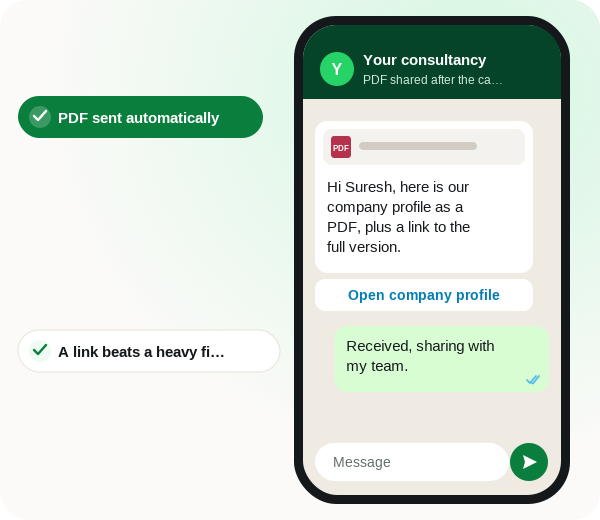
Sharing a PDF automatically on WhatsApp sounds simple, but attaching files reliably inside the Android sandbox across WhatsApp versions is where many scripts fail with odd errors, and WappBlaster's own media handler is built to attach a document exactly as a person would. The workflow is short: the salesperson promises the catalogue on an inbound call, presses End Call, and the app locates the stored file and drops it into the client's chat. The page gives B2B examples where this matters, such as a 12-page machinery specification sheet that carries far more weight than a line of text, fee structure PDFs during an ed-tech admission drive, and 50-page technical whitepapers that IT consultancies send after a consultation. For heavy files, it recommends a hybrid approach: send a link to a cloud-hosted PDF or the WappBlaster digital catalog instead of the raw attachment, which avoids Meta's media size limits and sends faster.
How do you share a PDF automatically on WhatsApp?
You share a PDF automatically on WhatsApp by storing the file in a call-triggered app that attaches it to a message whenever a client call ends.
WappBlaster's media handler attaches your stored PDF just as a person would after each call, and it can send a catalog or cloud link in place of a file.
Specification-heavy PDFs carry more weight with B2B buyers than plain text.
Ed-tech fee structures and IT whitepapers suit automatic sending.
A link to a hosted PDF avoids WhatsApp's media size caps.
Share PDF automatically on WhatsApp benefits
Reliable file attachment
The PDF attaches cleanly instead of failing like basic scripts.
Drop and engage flow
The salesperson ends the call and the catalog follows on its own.
Admission drive ready
Students asking for fees receive the structure as the enquiry ends.
Long document support
IT firms can send 50-page whitepapers after consultations.
Link alternative
Send a hosted PDF or Digital Catalog link for faster delivery.
Why B2B buyers expect you to share a PDF on WhatsApp
Rich media dictates B2B authority. A plain text message saying 'we sell heavy machinery' is entirely ignored. A perfectly formatted, 12-page high-definition PDF displaying engineering specifications sent via WhatsApp conveys massive professional capability. Ensuring a client receives this immediately is explicitly mandatory for conversions.
Why attaching a PDF automatically on WhatsApp is hard to build
Automating pure text is easy; automating secure file attachment handling within the Android sandbox across WhatsApp iterations is extraordinarily complex. Competing scripts constantly fail, resulting in weird string errors. WappBlaster’s robust, proprietary media handler deeply integrates natively, guaranteeing the file attaches identically to manual human operation.
Drop and engage: share the PDF on WhatsApp as the call ends
The workflow is practically magical. Your salesperson receives an inbound query. They say, 'Fantastic, I will immediately share our verified catalog with you on WhatsApp.' They press End Call. WappBlaster instantly spins up, locates your designated corporate asset, engages the contact, and drops the massive PDF right into their inbox.
Ed-tech and IT firms that share PDFs on WhatsApp automatically
If you manage an Ed-Tech admission drive, students universally request 'Fee Structures'. Automatically directly pushing the standard PDF fee structure the second an inquiry drops is phenomenally effective. IT consultancies explicitly automate distributing massive 50-page technical Whitepapers post-consultation to instantly build unquestionable authority.
Share a PDF link on WhatsApp instead of the raw file
While WappBlaster executes raw PDF attachment perfectly, we aggressively advise our users to utilize a hybrid model: Automatically text the client a beautiful hyperlink securely pointing to a centralized cloud PDF or WappBlaster Digital Catalog. This strictly bypasses Meta's strict media size caps and incredibly speeds up execution velocity.
When sharing a PDF automatically on WhatsApp is the wrong choice
If each client needs a different document chosen during the call, a single stored PDF will not fit and manual sending is still needed.
Very large files are better shared as a link, so pick the hybrid route when your brochure exceeds WhatsApp's media limits.
Share PDF automatically on WhatsApp FAQ
What is the absolute maximum PDF size WappBlaster can physically automate?
To ensure fluid reliable robotic operation and prevent strict WhatsApp lag-timeouts, we explicitly recommend keeping attached core physical PDF files optimally compressed strictly under 8MB.
Does the app support Excel spreadsheets (.xlsx) or only PDFs?
The underlying architecture possesses strong generalized standard document handling capabilities; however, PDF remains universally the absolute safest format explicitly for cross-platform B2B B2C rendering.
Will sending PDFs continuously corrupt my primary phone storage?
No, WappBlaster natively relies strictly on a singular original source file parked safely in your device storage, pushing lightweight pointer references directly to the WhatsApp intent parser.
Does the recipient need to have a native PDF viewer installed?
Practically all modern Android and Apple devices natively deeply embed reliable PDF handling modules directly inside the native browser or OS, ensuring flawless secure visual reading.
Can it specifically send physical V-Card (VCF) contact attachments instead of PDFs?
Yes! Configuring WappBlaster to explicitly automatically push your company's official V-Card strictly ensures the client trivially permanently saves your business details correctly with one tap.
Is WappBlaster a tool to share a PDF automatically on WhatsApp?
Yes. Its media handler attaches your stored PDF after each client call, the same way a person would, and can send a catalog or cloud link instead of the file.
A link is usually better for large documents. The page recommends texting a link to a hosted PDF or the WappBlaster Digital Catalog, which avoids WhatsApp's media size caps and sends faster.
What is the best way to share a long technical PDF after a consultation call?
Store it once and let it send after the call. The page gives the example of IT consultancies sending 50-page whitepapers after consultations to build authority.