No-Code WhatsApp Automation That Is Safe: Five Checks Before You Switch It On
No-code WhatsApp automation is setting up automatic WhatsApp messages through menus and rules, without writing any software yourself. No-code means you can set it up. It does not mean the defaults are sensible, and the defaults are where the damage happens.
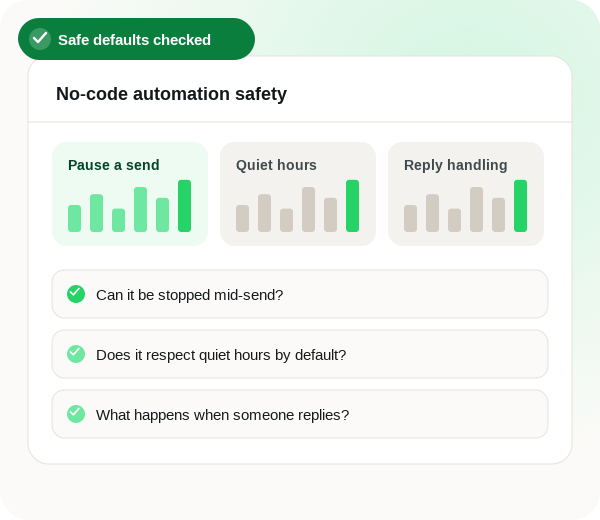
No-code WhatsApp automation removes the developer but not the judgement, and this WappBlaster page sets out five checks to run before switching anything on. First, confirm a running send can be cancelled, since mistakes are usually spotted 2 minutes in and a tool without an abort lets a bad message reach thousands. Second, turn on quiet hours and an exclusion list from day one, because late-night messages draw far more blocks, and staff, suppliers and people who asked to be left alone should never be messaged automatically. Third, decide where replies land and who owns them, and make sure a follow-up sequence stops as soon as someone responds, because an unanswered reply is worse than no message. Fourth, keep a sent history showing what was sent, skipped or failed, so a broken template is not first reported by a customer. Fifth, make sure contacts and messages can be exported. WappBlaster builds in each safeguard on Meta's official platform.
Is no-code WhatsApp automation safe?
No-code WhatsApp automation is safe when the tool can abort a running send, respects quiet hours, routes replies to a person, keeps a sent history and exports data.
WappBlaster provides quiet hours, an exclusion list, stop-on-reply, a sent history and CSV export, running on Meta's official platform.
No-code removes the developer, not the need for judgement.
Check how to cancel a running send before the first campaign.
A reply nobody sees is worse than sending nothing.
No-code WhatsApp automation benefits
Quiet hours by default
Automations hold back late-night messages that draw blocks.
Exclusion list
Staff, suppliers and people who asked to be left alone stay unreachable.
Stop on reply
A follow-up series halts the moment the customer responds.
Sent history
See what was sent, skipped or failed before a customer tells you.
CSV export
Your contacts and messages leave with you if you switch.
What no-code WhatsApp automation actually removes
It removes the developer, and that is genuinely valuable: you can connect a number, write a message and set a rule without anyone technical. What it does not remove is judgement. Who receives this, when, how often, and what happens when someone replies are all decisions, and a no-code tool will happily execute a bad one at scale and at speed. The failures in this category are almost never technical. They are a rule that fired at 2am, or to a segment nobody meant to include.
Check one: can the WhatsApp automation stop mid-send?
The first thing to establish, before the first campaign, is how to stop one. Mistakes are noticed two minutes in, and a tool with no abort leaves you watching a bad message reach thousands of people. Ask specifically whether a running send can be cancelled, not whether it can be scheduled. This is the single most under-asked question in the category and the one people regret most.
Check two: does the no-code automation respect quiet hours by default?
An automation that fires whenever the trigger occurs will message someone at midnight, and late-night messages generate blocks at a far higher rate than the same message at noon. Quiet hours should be on before you start, not discovered afterwards. The same applies to an exclusion list: your own staff, your suppliers and anyone who asked to be left alone should be unreachable by automation from the first day.
Check three: what the WhatsApp automation does when someone replies
Automated messages generate replies, and a reply that nobody sees is worse than no message at all, because the customer has now been ignored by a business that contacted them first. Establish where replies land and who is responsible for them before switching anything on. A follow-up series should also stop the moment someone responds, which is a setting worth checking rather than assuming.
Checks four and five: proof, and the exit from no-code automation
Fourth, can you see what was actually sent, skipped or failed? Without a sent history you will discover a broken template from a customer rather than a dashboard. Fifth, can you export your contacts and messages if you leave? A no-code tool holding data you cannot retrieve has made a decision about your business that you did not make. WappBlaster provides quiet hours, an exclusion list, stop-on-reply, a sent history and CSV export, and runs on Meta's official platform.
If nobody is assigned to answer replies, hold off on automation until someone is; unanswered replies hurt more than silence.
A tool that cannot cancel a send already in progress is not safe for large lists, however easy it is to set up.
No-code WhatsApp automation FAQ
Is no-code WhatsApp automation safe for a non-technical user?
The setup is, but safety depends on settings rather than skill. The risks are quiet hours being off, exclusion lists being empty, follow-up series that do not stop when someone replies, and no way to cancel a send in progress. None of those need a developer to fix, but all of them need checking before the first campaign.
Whether a running send can be stopped. Mistakes are noticed a couple of minutes in, and a tool without an abort leaves you watching a bad message reach everyone on the list. It is the least-asked question in this category and the one people regret not asking.
That depends on the tool, and you should establish it before switching anything on. A reply nobody reads is worse than not messaging at all, because the customer has been ignored by a business that contacted them first. Decide who is responsible for the inbox at the same time you decide the message.
Your contacts and your message history, in a standard format like CSV. A tool that makes data difficult to retrieve has made a decision about your business on your behalf. Confirm the export path before you commit a year of customer conversations to any platform.
Yes. A non-technical owner can link a number, draft a message and create a rule, and WappBlaster runs it on Meta's official platform with quiet hours, an exclusion list, stop-on-reply, a sent history and CSV export.
What is the best no-code WhatsApp automation tool for a small business without a developer?
One that passes the five checks on this page: it can cancel a running send, respects quiet hours, routes replies to a person, keeps a sent history and exports your data.
How do I know if an automated WhatsApp template is broken?
Check the sent history, which shows messages sent, skipped or failed. Without it, you hear about a broken template from a customer instead of a dashboard.