Does Slack approval work for all approval types?
Yes, leave, expense, advance, manager-override punches and any custom workflow approval can be Slack-driven.
Link to this answerA Slack HR integration brings people-management updates and approval requests into the workplace chat app managers already use all day. Pipe daily attendance summaries, anomaly alerts, weekly KPI digests and leave / expense approval requests into your team's Slack channels. Managers approve or reject from Slack with one click, no portal logins.
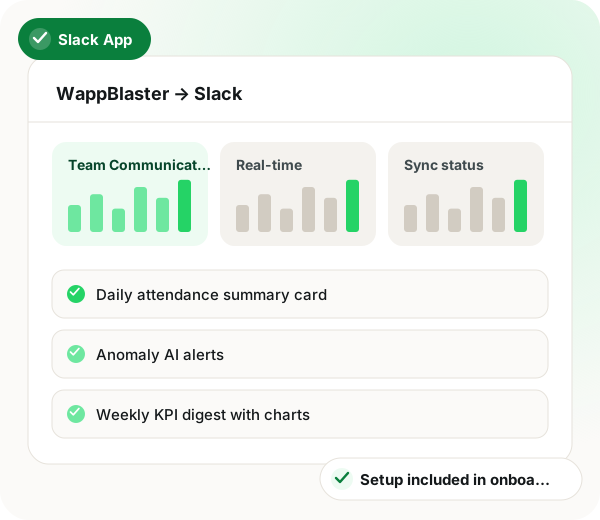
Slack HR integration in brief
Slack HR integration from WappBlaster suits office and desk managers who already spend the workday inside Slack and would rather not open another portal to clear requests. After an OAuth install with permissions scoped to chosen channels, each event type is mapped to a destination: anomaly alerts covering attendance drops, expense outliers and GPS spoof clusters can land in #hr-alerts, a Monday KPI digest goes to #leadership, and leave, expense, advance or override-punch requests arrive as manager DMs with Approve and Reject buttons. Four slash commands, such as /wappblaster who-is-out and /wappblaster kpi-this-week, answer routine questions on demand. Enterprise Grid deployments route per workspace, and cards can redact full salary figures behind a link back to WappBlaster. Field reps and blue-collar staff can keep receiving the same events on WhatsApp instead. Going live takes about 17 minutes: roughly 2 to install, 10 to route events and 5 to test one approval.
A Slack HR integration is an app that posts attendance summaries, anomaly alerts and leave or expense requests into Slack, letting managers approve them without opening the HR portal.
WappBlaster’s Slack app routes each event type to the channel or DM you choose and puts Approve and Reject buttons on requests, at no fee beyond your plan.
Managers clear leave and expense requests with one click inside the chat tool they already watch.
HR and ops see attendance drops, expense outliers and GPS spoof clusters in a dedicated channel.
Founders get attendance rate, OT ratio, beat coverage and expense per head charts each week.
A manager who prefers WhatsApp or email can receive approvals there instead of Slack.
Large companies route events per workspace across a multi-workspace setup.
Data flow
WappBlaster (events + reports) → Slack
Frequency: Real-time and scheduled (configurable per channel)
Slack actions → WappBlaster
Frequency: Real-time
Setup
OAuth install via Slack, grant the app scoped permissions to specific channels.
~2 minutes
Map WappBlaster event types to Slack channels, e.g., #hr-alerts for anomalies, #leadership for KPI digests, DMs to managers for approvals.
~10 minutes
Submit a test leave request, confirm the Slack card appears with Approve / Reject buttons, click through, confirm the update in WappBlaster.
~5 minutes
Real-time alerts, daily summaries and weekly digests flow automatically. Managers handle approvals in Slack.
~Nothing to maintain
Use cases
Anomaly AI surfaces attendance drops, expense outliers and GPS spoof clusters into a dedicated Slack channel where the HR + ops team triages.
HR + operations leads
Leave and expense approval requests appear as Slack DMs to the relevant manager with Approve / Reject buttons. Manager clicks once; WappBlaster updates the workflow.
Managers across all teams
Monday-morning KPI digest with attendance rate, OT ratio, beat coverage % and expense-per-head charts auto-posts into the leadership channel.
Founders + leadership
Managers handling staff also read anomaly detection across attendance and expenses, monitoring staff WhatsApp chats from one PC and setting up a multi-agent support desk.
| Feature | Trigger | Message sent |
|---|---|---|
| Leave or expense request | An employee submits a request | DM card to the manager with Approve and Reject buttons |
| Anomaly detected | Anomaly AI spots an attendance, expense or GPS outlier | Alert in the HR alerts channel |
| Daily summary | The daily schedule runs | Attendance summary card |
| Start of week | Weekly schedule runs | KPI digest with charts in the leadership channel |
| Payroll closed | The payroll cycle is finalised | Cycle-close notification |
Yes, leave, expense, advance, manager-override punches and any custom workflow approval can be Slack-driven.
Link to this answerEach manager can have their preferred channel, WhatsApp, email, in-app or Slack. The approval routing supports per-user preference.
Link to this answerConfigurable. Default cards show employee name + request summary; sensitive details (full salary, deductions) can be redacted with a 'view full detail' link to WappBlaster.
Link to this answerYes, multi-workspace deployments map cleanly. Per-workspace channel routing supported.
Link to this answerYes, common pattern: Slack for office/desk managers, WhatsApp for field reps and blue-collar staff. Both run from the same WappBlaster events.
Link to this answer/wappblaster who-is-out, /wappblaster attendance-today, /wappblaster expense-pending, /wappblaster kpi-this-week, covering common manager queries.
Link to this answerNo, the Slack app is covered by your WappBlaster plan.
Link to this answerInstall the WappBlaster Slack app and route approval requests to manager DMs; each request then arrives as a card with Approve and Reject buttons. One click updates the workflow in WappBlaster.
Link to this answerUnder 20 minutes. Installing the app takes about 2, mapping events to channels about 10 and testing an approval about 5.
Link to this answerThe useful kind pushes anomaly alerts into a channel your HR and ops team already watch. WappBlaster's Anomaly AI posts attendance drops, expense outliers and GPS spoof clusters to an alerts channel for triage.
Link to this answerStill not answered?
Ask a real person. We reply on WhatsApp, usually within the hour.
Integration setup is part of onboarding, not a paid add-on. Bring your Slack account to the call and we will connect it together.