How to monitor staff WhatsApp chats from one screen
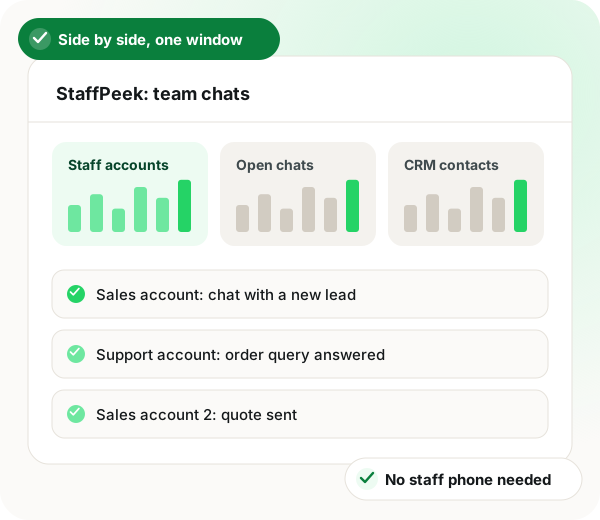
Staff WhatsApp chat monitoring is a manager's review of conversations employees hold with customers on work numbers, done from one screen. Your team closes deals on WhatsApp all day, but as a manager you cannot see it. StaffPeek puts each staff account side by side in a single desktop window and turns every chat into a tracked CRM contact, without asking anyone for their phone.
Monitoring staff WhatsApp chats works like WhatsApp Web from the manager's side: StaffPeek is installed on the manager's Windows or Mac computer, each employee links their work account to it once, and from then on every session stays signed in and opens side by side in one window, so nobody has to hand over a phone again. The underlying problem is that conversations live on staff handsets and leave when someone quits, taking ignored leads, missed follow-ups and promises made to customers with them. StaffPeek logs each account into an isolated session on the PC, reconciles new messages continuously and offers a one-click deep scan for older history, capturing every chat as a CRM contact with name, number, status, notes and history. Because it is scan-based, there is no Business API application or approval. The page insists on lawful use, with business-owned numbers, written notice to the team and data kept on the manager's machine. Outside India it costs $30 per PC a year.
How do you monitor staff WhatsApp chats from one screen?
You monitor staff WhatsApp chats by linking each work account once to the manager's computer, like WhatsApp Web, and viewing every session together in one window.
StaffPeek is scan-based, so it needs no WhatsApp Business API or per-message fee; Indian buyers pay ₹2200 per computer each year, others $30.
Nobody hands over a phone again after the one-time link.
A one-click deep scan pulls full chat history.
Watch only business-owned numbers, with staff told in writing.
Monitor staff WhatsApp chats benefits
Leads that stay put
Conversations no longer leave when a staff member quits.
Missed follow-ups surfaced
Managers see ignored leads and broken promises to customers.
Built-in CRM
Each chat becomes a contact with name, number, status, notes and history.
Continuous sync
New and recent messages reconcile into isolated sessions on the PC.
No API approval
Works through WhatsApp Web sessions, with no application to Meta.
Monitor staff WhatsApp chats: the short answer
To monitor staff WhatsApp chats, install StaffPeek on the manager’s Windows or Mac computer and have each person link their WhatsApp to it one time, the same way you would link WhatsApp Web. Every account then opens side by side in one window, and StaffPeek captures each conversation into a built-in CRM with name, number, status, notes and history. It is scan-based, so there is no WhatsApp Business API, no per-message fee, and no phone-sharing after the one-time scan.
Why managers lose sight of staff WhatsApp chats
Conversations sit on staff phones and walk out the door when someone quits. You do not know which leads were ignored, which follow-ups were missed, or what was promised to a customer. StaffPeek fixes this at the source by logging each account into its own isolated session on your PC and reconciling new and recent messages continuously, with a one-click deep scan for full history.
Monitor staff WhatsApp lawfully and with notice
Only watch WhatsApp numbers that belong to the business or that you have permission to oversee, keep work on dedicated work accounts, let your team know in writing that their work chats are monitored, and follow local employment and privacy law. StaffPeek stores everything on the manager’s own computer and adds PIN-lock and privacy or blur controls so customer data is handled carefully.
Monitor staff WhatsApp chats: setup to daily review
Feature
What the manager does
What StaffPeek does
Day one
Installs on Windows or Mac
Waits for each staff account to be scanned
Staff link once
Gives written notice of monitoring
Keeps each session signed in
Full history needed
Clicks deep scan
Captures older conversations
Daily check
Reviews lead status
Lists every chat as a CRM contact
Limits on how you monitor staff WhatsApp chats
Monitoring personal numbers without consent can breach employment and privacy law; use it only on accounts the business owns or may oversee.
Managers who need to review chats from a phone while travelling will find a desktop-only tool limiting.
Monitor staff WhatsApp chats FAQ
Can I monitor staff WhatsApp without their phone?
Yes. Each staff member links their WhatsApp to the manager’s PC once, the way WhatsApp Web works. After that the session remains signed in, so nobody has to hand over a phone again.
Pricing is per computer: ₹2200 a year for each PC in India, or $30 a year for each PC elsewhere, with no limit on staff accounts. See /products/staffpeek.
What happens to customer chats when an employee quits?
Without monitoring, they leave on the staff member's phone. With StaffPeek the sessions live on the manager's PC, so the conversations and leads stay with the business.
What is the best way to monitor staff WhatsApp chats legally?
Watch only numbers the business owns or may oversee, keep work on dedicated work accounts and tell staff in writing. Then follow local employment and privacy law.
What does a staff member need to do to be monitored?
Link their work WhatsApp to the manager's computer once, as they would with WhatsApp Web. After that the session stays signed in and nobody hands over a phone.