WhatsApp API vs Android Auto Sender Software: Setup, Cost and Failure Modes
An Android auto sender is phone software that operates the normal WhatsApp app for you, while the WhatsApp API is Meta's registered business messaging service. These are not two versions of one product. They are different architectures, and almost every practical difference follows from that.
WhatsApp API vs Android auto sender is a choice between two architectures, not two editions of one product. The Business API registers a number with Meta, sends from Meta's infrastructure and gives the business an account, a dashboard and a support path; an Android auto sender is a program on a handset that operates the ordinary WhatsApp app faster than a person, with nothing registered or approved. Setup differs accordingly: the API needs business verification, a number not already on personal WhatsApp and approved templates, usually a few days in total, while an Android sender runs in under 1 hour. Cost shape differs too, with the API combining a platform fee and per-conversation charges that grow with use, and the sender usually a flat licence. Reporting favours the API, which shows delivery and read receipts, a quality rating, template failure reasons and tier limits. The deciding factor, this WappBlaster page concludes, is the failure mode: API problems give warning, while an auto sender's number can vanish without appeal.
Which is better, the WhatsApp API or an Android auto sender?
The WhatsApp API suits businesses that cannot afford to lose their number, while an Android auto sender suits quick, flat-cost sending where a sudden ban is tolerable.
WappBlaster sells the official API route because its problems show up early, as a yellow rating, rejected template or stalled tier, before the number is lost.
The API is a registered service; an auto sender drives the normal app faster.
API setup takes days, an Android sender under an hour.
API costs grow with usage; auto sender licences stay flat.
WhatsApp API vs Android auto sender benefits
Registered business identity
Your number sits on Meta's records with a support path.
Delivery and read receipts
The API reports what arrived instead of leaving you to guess.
Early warnings
Quality ratings and tier limits give time to react.
Template-level failure reasons
You learn why a message failed, not just that it did.
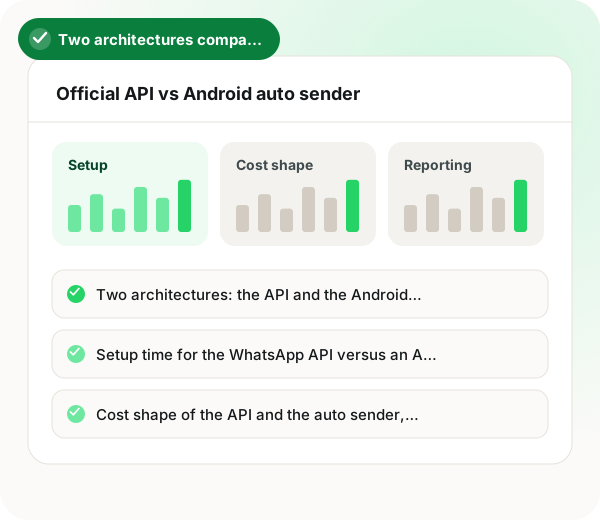
Two architectures: the API and the Android auto sender
The Business API is a service you connect to. Your number is registered with Meta, messages leave from their infrastructure, and you are a customer with an account, a dashboard and a support path. An Android auto sender is a program running on a handset that operates the ordinary WhatsApp app faster than a human would. Nothing is registered, nothing is approved, and Meta has no record of you as a business. Every difference below follows from that one distinction.
Setup time for the WhatsApp API versus an Android sender
The API needs business verification, a number that is not already on a personal WhatsApp account, and templates approved before automated sending. Realistically that is a few days start to finish, most of it waiting. An Android sender is installed and running in under an hour with no approval at all. If you need to send something this afternoon, that difference is decisive, and it is the honest reason the category persists.
Cost shape of the API and the auto sender, which matters more than cost level
The API has a platform fee plus Meta's per-conversation charge, so the bill grows with usage. An Android sender is usually a one-off or annual licence with no per-message cost, so it is cheaper at volume and flat regardless of how much you send. Anyone comparing headline prices without accounting for that shape will reach the wrong conclusion in either direction depending on their volume.
Deliverability and reporting on the WhatsApp API and Android
On the API you get delivery and read receipts, a quality rating you can watch, template-level failure reasons and tier limits you can plan against. On an Android sender you get whatever the phone shows, which in practice means you learn a message did not arrive when a customer tells you. For anyone running campaigns at scale, that reporting gap usually matters more than the cost difference.
API or Android auto sender: the failure mode decides
This is what the comparison comes down to. On the API, problems announce themselves: a rating turns yellow, a template is rejected, a tier stalls, and you have time to react. With an Android sender the number works until it does not, without warning or appeal, and the message history goes with it. Choose based on what a lost number would cost your business, because that is the variable the two architectures actually differ on. WappBlaster sells the official route for that reason.
When the WhatsApp API is the wrong choice over an Android auto sender
If you must send something this afternoon and a lost number would not hurt, the API's days of setup make it the wrong pick.
At very high volume with a spare number, an Android sender's flat cost can beat the API's per-conversation billing.
WhatsApp API vs Android auto sender FAQ
What is the main difference between the WhatsApp API and an Android sender?
Architecture. The API is a Meta service your number is registered with, so messages leave their infrastructure and you have an account, reporting and a support path. An Android sender is software driving the ordinary WhatsApp app on a handset, with nothing registered or approved. Every other difference follows from that.
It depends entirely on volume, because the cost shapes differ. The API charges a platform fee plus Meta's per-conversation rate, so it scales with usage. An Android sender is usually a flat licence with no per-message cost, making it cheaper at high volume. Comparing headline prices without accounting for that gives the wrong answer.
The API, by a wide margin. You get delivery and read receipts, a visible quality rating, template-level failure reasons and tier limits you can plan around. With an Android sender you generally discover a delivery problem when a customer mentions it.
Ask what a lost number would cost you. The architectures differ most in how they fail: the API warns you through a declining quality rating and gives you an appeal route, while an Android sender works until the number is gone, without notice and taking the message history with it.
Is WappBlaster a WhatsApp API or an Android auto sender?
This page says WappBlaster sells the official API route. Its reason is that API problems show up early, as a yellow rating, a rejected template or a stalled tier, before the number is lost.
What is the best choice between the WhatsApp API and an Android auto sender for a business that cannot lose its number?
The API. It is a registered service with warnings, receipts and an appeal route, while an Android sender stops without notice or appeal and takes the history with it.
When you must send something today and losing the number would not hurt, or at very high volume from a spare number where a flat licence beats per-conversation billing.