Mobile App to Showcase Products on WhatsApp, and How to Use It Well
Showcasing products on WhatsApp means presenting your stock to buyers as clear pictures with prices they can scan in a chat window. No app compensates for a dark photograph taken against a cluttered counter. Get that right and the tooling barely matters.
An app to showcase products on WhatsApp matters less than the catalogue it carries, and this WappBlaster guide spends most of its advice on that catalogue. Its rule of thumb is that a phone shopper gives each item about 4 seconds, so the photo must read at thumbnail size, the first three words of the name must identify the product, and the price must be visible without a tap. The page recommends one product per photo, shot square because WhatsApp crops that way, against a plain background in daylight, with a consistent look across the set. Best sellers belong at the top, reordered every few months by actual sales, and captions should use customer language plus the single deciding specification, such as size and fabric for clothing or dimensions for hardware, in no more than three lines. Only then does automation help. WappBlaster sends the catalogue link as each enquiry call ends, on Meta's official Business Platform, so interest is caught at its peak instead of whenever someone remembers.
What is an app to showcase products on WhatsApp?
An app to showcase products on WhatsApp lets a seller build a phone-friendly catalogue of photos, names and prices, then share it with customers inside chats.
WappBlaster sends your catalogue link automatically as each enquiry call ends, on Meta's official Business Platform, once the photos and names are right.
Shoppers give each item about four seconds, so photo clarity decides sales.
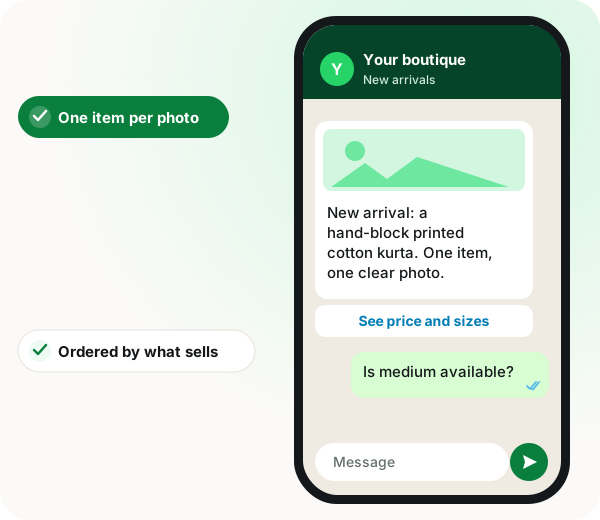
Use one product per square photo, shot in daylight on a plain background.
Put best sellers at the top and reorder every few months.
App to showcase products on WhatsApp benefits
Thumbnail-ready listings
Square single-item photos survive WhatsApp's crop and read at small sizes.
Customer-language names
Plain product names plus the one deciding spec, such as size or fabric.
Revenue-first ordering
Top sellers appear without scrolling, the long tail sits lower.
Automatic catalogue sending
The link reaches enquirers right after the call, while interest is high.
Official platform delivery
Messages go out on Meta's Business Platform rather than an unofficial route.
The four-second rule when you showcase products on WhatsApp
A customer scrolling a catalogue on a phone gives each item about four seconds before deciding to stop or keep going. Everything that matters follows from that. The photograph has to be legible at thumbnail size, the first three words of the name have to identify the product, and the price has to be present. An item that needs to be tapped to be understood has already lost most of its audience. This is why cataloguing software makes far less difference than people expect, and why photography makes far more.
Showcase one product per photograph, always
The most common mistake is a single image showing eight products, because it feels efficient. It is not: the customer cannot tell which price applies to which thing, cannot tap one, and scrolls past. One item per image, shot square because that is how WhatsApp crops, against a plain background in daylight. A white wall and a window outperform a lighting kit used badly. Consistency matters more than quality here; twenty photographs that look like a set beat five excellent ones and fifteen poor ones.
Order WhatsApp products by what sells, not by what you make
Catalogues are almost always arranged in the order the business thinks about its range, which is rarely the order a customer wants. Put your best sellers first. The items that account for most of your revenue should be visible without scrolling, and the long tail should be at the bottom where it costs nobody anything. Reorder every few months based on what actually sold, not on what you wish sold.
Write WhatsApp product captions for someone who has not seen it
Product names written for internal use — model codes, abbreviations, the way your staff refer to something — cost sales silently. Write what a customer would call it, add the one specification that decides the purchase, and stop. For clothing that is usually size and fabric; for hardware, dimensions; for food, quantity. Three lines is generous. Anything longer will not be read on a phone.
Then automate the WhatsApp product showcase
Once the catalogue is genuinely good, the remaining problem is getting it in front of people at the right moment, which is immediately after they enquire. That is what WappBlaster does: the catalogue link goes out automatically as a call ends, on Meta's official Business Platform, so the customer receives it while still interested rather than whenever somebody remembers. That sequence matters. Automating the delivery of a poor catalogue simply distributes the problem faster.
App to showcase products on WhatsApp: what actually moves sales
Feature
What the team does
What WappBlaster does
Photographing stock
One item per square shot near a window
Uses those images in the shared catalogue
Naming items
Writes what a buyer would call it
Shows name, key spec and price together
Customer enquires by phone
Answers and hangs up
Sends the catalogue link as the call ends
Quarterly review
Reorders by what sold
The same link shows the new order
When an app to showcase products on WhatsApp is the wrong choice
If your photos are dark or crowded, fix them first; automating a weak catalogue only spreads it faster.
A seller with a few items and few calls can manage with the free catalogue built into WhatsApp Business.
App to showcase products on WhatsApp FAQ
Which app is best for showing products on WhatsApp?
The honest answer is that the app matters far less than the photographs. WhatsApp Business includes a free catalogue that is sufficient for most small businesses. Paid tools add automatic sending, multi-person access and records of who enquired, which are worth paying for only once the catalogue itself is good.
One item per photograph, shot square because that is how WhatsApp crops, against a plain background in daylight. Consistency matters more than production value: twenty images that look like a set outperform a mix of excellent and poor ones. A white wall and a window beat a lighting kit used badly.
By what sells, not by how you think about your range. The items generating most of your revenue should be visible without scrolling, with the long tail beneath. Reorder every few months based on actual sales rather than on what you would like to sell.
Three lines at most. The name a customer would use, and the one specification that decides the purchase: size and fabric for clothing, dimensions for hardware, quantity for food. Internal model codes and long paragraphs both cost sales, because neither gets read on a phone.
Is WappBlaster an app to showcase products on WhatsApp?
It handles the sending part. WappBlaster delivers your catalogue link automatically as each enquiry call ends, on Meta's official Business Platform, once your photos and product names are in good shape.
What is the best app to showcase products on WhatsApp for a seller with few items?
The free catalogue built into WhatsApp Business. The page says a seller with a few items and few calls can manage with it, and paid tools are worth it only once the catalogue itself is good.
Should I put several products in one WhatsApp photo?
No. A single image of eight products leaves the buyer unsure which price fits which item and gives them nothing to tap. Use one item per square photo instead.
How long does a customer look at each product in a WhatsApp catalogue?
About four seconds, according to this page. In that time the thumbnail must be legible, the first three words of the name must identify the item and the price must be visible.
When should I send my product catalogue to a customer?
Right after they enquire, while interest is still high. WappBlaster sends the link as the enquiry call ends, so it does not depend on someone remembering later.
What do paid WhatsApp catalogue tools add over the free one?
Automatic sending, access for more than one person and records of who enquired. The page advises paying for these only after the photos, names and order are right.