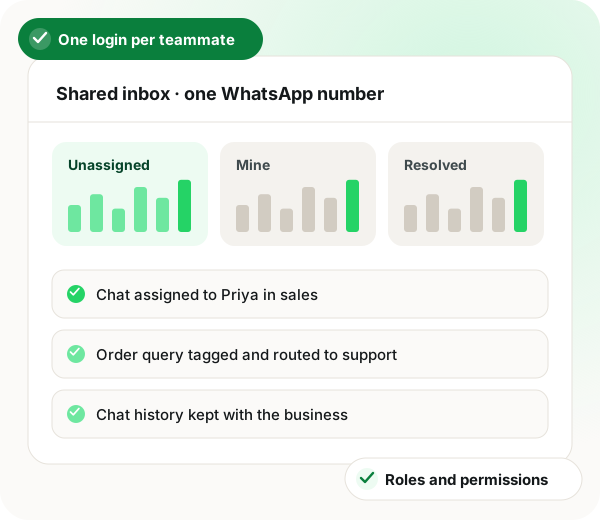






One WhatsApp number, your whole team answering it
The WhatsApp Business app allows one phone and up to a handful of linked devices. A shared inbox on the API removes that ceiling and, more importantly, keeps the conversation history with the business rather than on someone’s handset.
Included in the platform licence. Not a paid add-on.
What is a WhatsApp shared inbox?
A WhatsApp shared inbox lets multiple agents handle conversations on a single WhatsApp Business API number at the same time. WappBlaster provides assignment, filters, tags, canned replies, roles and permissions, department-based routing with schedules, and a chat resolution form. Because conversations live on the platform rather than a personal phone, history stays with the business when staff change.
Trusted by 3,500+ businesses
- 4.8 / 5
-
-
-
-
- Meta Tech Provider
- D-U-N-S Registered
Some of the businesses using WappBlaster products every day
Capabilities
What you get
Everything here is documented and shipping today, not on a roadmap.
Unlimited agents, no per-seat fee
Add every person who needs to answer. Most competitors price per agent, which quietly punishes you for staffing support properly.
Roles and permissions
Define what each role can see and do, including session configuration, so an agent cannot export the whole contact database on their last day.
Departments with schedules
Route to sales, support or accounts, with per-department availability and agent scheduling so out-of-hours chats are handled differently.
Filters and tags in live chat
Slice the queue by tag, assignment or status, which is what makes a busy inbox workable rather than a wall of unread.
Canned and quick replies
Saved answers for the questions that make up most of the volume, inserted in a keystroke.
Chat resolution form
Capture the outcome when a chat closes, so conversations become reportable data instead of anecdotes.
How it works
Setting it up
- 1
Create your team members
Add agents or chat operators and assign them roles.
- 2
Set up departments
Sales, support, accounts, each with its own agents and schedule.
- 3
Define routing
Choose how incoming chats are distributed and what happens out of hours.
- 4
Add canned replies
Write the top twenty answers once and stop retyping them.
Where it earns its keep
Common uses
-
Sales teams sharing a number
Leads distributed instead of landing on one manager’s phone.
-
Support desks
Queue, assignment and resolution tracking on WhatsApp.
-
Clinics and service centres
Front desk and specialists on the same thread.
-
Multi-branch retail
Departments per branch, routed by the customer’s choice.
-
Staff turnover protection
The number and the history belong to the business.
-
After-hours coverage
A bot answers, a human picks it up in the morning with full context.
Ships in these products
Frequently asked questions
Straight answers about WhatsApp shared inbox.
Can multiple people use one WhatsApp Business number?
On the WhatsApp Business app, only through linked devices, which is capped and awkward. On the WhatsApp Business API with a shared inbox there is no such limit: as many agents as you need work the same number simultaneously, each with their own login.
Link to this answerDo you charge per agent?
No. Agents are unlimited on the flat annual platform fee. This is one of the biggest cost differences against providers that tier by seat.
Link to this answerWhat happens to chats when an employee leaves?
Nothing is lost. Conversations live on the platform, so you revoke the person’s access and reassign their open chats. Compare that with a number on a personal phone, where the history walks out with them.
Link to this answerCan I still use the WhatsApp app on my phone for this number?
No. Once a number is registered to the WhatsApp Business API it cannot also be used in the consumer or Business app. Agents work through the inbox instead, on desktop or mobile browser.
Link to this answerStill not answered?
Ask a real person. We reply on WhatsApp, usually within the hour.
CRM, inbox and team
Related features
Same licence, same login. These work together out of the box.
- WhatsApp CRM Most CRMs bolt WhatsApp on as a channel. Read more
- Segments and tags Sending everything to everybody is what drives blocks, and blocks are what cost you the messaging limit you spent months earning. Read more
- Sales pipeline boards Deal tracking usually lives in a CRM the sales team forgets to update. Read more
See Shared team inbox on your own account
A short call on your real list and your real templates. No card, no sandbox.
- Set up with you on a call, not a help article
- Official Meta WhatsApp Business Platform
- Flat annual fee, Meta charges passed through at cost