Zapier WhatsApp integration: WappBlaster template messages from any app Zapier connects
A Zapier WhatsApp integration lets thousands of everyday business apps start WhatsApp conversations by passing their events to a sending service. Send WhatsApp messages from anything Zapier can talk to. A new row in Airtable, a Stripe payment, a Calendly booking or a HubSpot stage change becomes an approved-template WhatsApp message, without anyone writing code.
Zapier WhatsApp integration with WappBlaster lets a trigger from any of the 6,000+ apps Zapier connects become a WhatsApp message, even though Zapier itself cannot send one. The Zap captures the event, a webhook action passes the recipient number and template variables to the WappBlaster send endpoint, and delivery runs through the official Meta WhatsApp Business Platform, keeping the sending number clear of the ban risk that unofficial routes carry. Typical pairings include an Airtable row confirming to the named customer, a Calendly booking that sends a confirmation and a pre-slot reminder, a Stripe charge returning a receipt or retry link, a HubSpot stage change starting follow-ups, and a Typeform response opening a thread. Opening messages, and anything after the 24-hour customer window, need an approved template. Webhook actions require a paid Zapier tier, so Shopify, WooCommerce, Sheets and form flows are cheaper in the native builder. Setup takes about 30 minutes.
What is a Zapier WhatsApp integration?
A Zapier WhatsApp integration is a no-code setup where a Zap trigger in one app passes data to a messaging service that sends an approved WhatsApp template.
WappBlaster takes the data from the Zapier webhook and sends it as an approved template over the official Meta API, so a trigger in any of 6,000+ apps can message a customer.
Zapier cannot send WhatsApp messages on its own; it hands off the data.
Webhook actions sit on Zapier’s paid tiers.
Messages outside the 24-hour window need an approved template.
Zapier WhatsApp integration benefits
Airtable row confirmations
Ops teams message the customer named on a new Airtable row without touching the base.
Calendly booking reminders
A booking produces an instant confirmation and a reminder before the slot.
Stripe receipts and retries
Successful charges get a receipt, and failed ones get a link to try again.
HubSpot stage follow-ups
Moving a deal to quote sent starts the WhatsApp follow-up sequence.
Typeform conversations
A form response creates the contact and opens a WhatsApp thread.
Data flow
What moves between Zapier and WappBlaster
Zapier → WappBlaster
Any Zapier-connected app → WappBlaster (WhatsApp send)
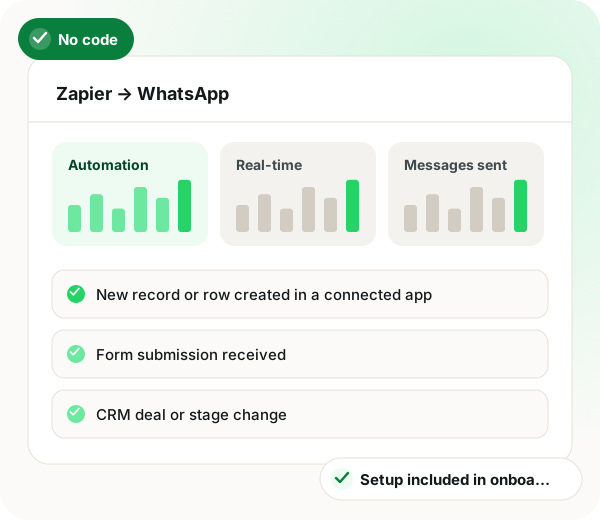
New record or row created in a connected app
Form submission received
CRM deal or stage change
Payment succeeded or failed
Calendar booking created or cancelled
Frequency: Real-time, on Zap trigger
Setup
Zapier WhatsApp integration setup
1
Get your WappBlaster API credentials
Generate API access against the WhatsApp channel you want messages sent from.
~5 minutes
2
Create the Zap
Pick your trigger app in Zapier and add a webhook action pointed at the WappBlaster send endpoint.
~10 minutes
3
Map the fields
Map the recipient number and each template variable to fields from the trigger payload.
~10 minutes
4
Test and turn it on
Run a live test to your own number, confirm delivery in the campaign report, then publish the Zap.
~5 minutes
Use cases
Zapier WhatsApp integration use cases
Airtable to WhatsApp
A new row in an Airtable base sends a WhatsApp confirmation to the customer named in it.
Ops teams
Calendly booking confirmations
A booking creates an instant WhatsApp confirmation, then a reminder before the slot.
Sales and services
Stripe payment receipts
A successful charge sends a WhatsApp receipt; a failed one sends a retry link.
Finance
HubSpot stage changes
Moving a deal to 'quote sent' fires the WhatsApp follow-up sequence.
Sales
Typeform to conversation
A form response creates the contact and opens the WhatsApp thread within seconds.
A record is created in a connected app such as Airtable
Confirmation template to the person on the record
Form submitted
Typeform or another form receives a response
Opening message that starts the WhatsApp thread
Deal stage changed
A CRM deal moves stage
The follow-up sequence for that stage
Payment result
A payment succeeds or fails
Receipt, or a retry link
Booking made or cancelled
A calendar event is created or cancelled
Confirmation, reminder or cancellation note
When a Zapier WhatsApp integration is not a fit
If you are on Zapier’s free tier, the webhook action costs extra, and Pabbly Connect or n8n may price better.
Shopify, WooCommerce, Google Sheets and form flows run in the native automations builder without metered tasks, so Zapier adds nothing there.
Zapier WhatsApp integration FAQ
Can Zapier send WhatsApp messages?
Not by itself. Zapier handles the trigger and passes data to WappBlaster, which sends on the official Meta WhatsApp Business Platform using an approved template. That split matters: sending through anything other than the official API risks the number being banned.
A webhook action is on Zapier's paid tiers. If you would rather not add that cost, the same automations run natively in the WappBlaster automations builder, or through Pabbly Connect and n8n which price differently.
Do Zapier-triggered messages need approved templates?
Yes, if the message starts a conversation or falls outside the 24-hour window since the customer last messaged you. Inside that window you can send free-form.
Yes. The built-in automations builder covers Shopify, WooCommerce, Google Sheets, forms, marketplaces, payments and generic inbound webhooks without a middleman, and it does not meter tasks.
How much does a Zapier WhatsApp integration cost with WappBlaster?
WappBlaster adds nothing for the connection, as setup is part of onboarding. The cost to watch sits on the Zapier side, where webhook actions need a paid tier.
Is WappBlaster a Zapier WhatsApp integration for any app?
Yes, for any of the 6,000+ apps Zapier connects. The Zap hands its trigger data to WappBlaster, which delivers it as a Meta-approved template over the official API.
What is the best Zapier WhatsApp integration for booking reminders?
It should confirm the booking instantly and remind the customer before the slot. With WappBlaster, a Calendly booking does both, and a cancellation sends its own note.
How do I set up a Zap that sends WhatsApp messages?
Generate WappBlaster API credentials, create a Zap with a webhook action pointed at the send endpoint, map the number and template variables, then test on your own number. It takes about half an hour.