WhatsApp broadcast campaigns that actually reach the inbox, sent on the official API
A WhatsApp broadcast campaign is a bulk send of one business message to many opted-in customers, delivered privately to each person. Pick an approved template, choose who gets it, and send. Campaigns go out on the official Meta WhatsApp Business Platform, so there is no broadcast-list cap, no 256-contact limit and no risk of the number being pulled for using an unofficial tool.
A WhatsApp broadcast campaign run through WappBlaster avoids the two limits of the consumer app's broadcast lists: the 256-contact ceiling and the rule that only people who saved your number receive the message. Because WappBlaster sends through Meta's sanctioned business API as a bulk messaging platform, the real constraint becomes the number's own messaging tier, which begins at 1,000 unique recipients in a 24-hour span and rises with quality traffic; large sends are paced to stay inside it. You choose an approved template, fill variables such as name, order number or amount, and target all contacts, a pasted set of numbers, or a saved segment that resolves at send time. Formats go beyond text to images, video, PDFs, locations, buttons, carousels and catalogue templates. The clearest differentiator is the per-message report, which separates a paused template from an invalid number or an out-of-window send. Testing a small segment first protects the quality rating.
What is a WhatsApp broadcast campaign?
A WhatsApp broadcast campaign delivers a single approved template to a large contact list, each copy landing as a private one-to-one chat instead of a group message.
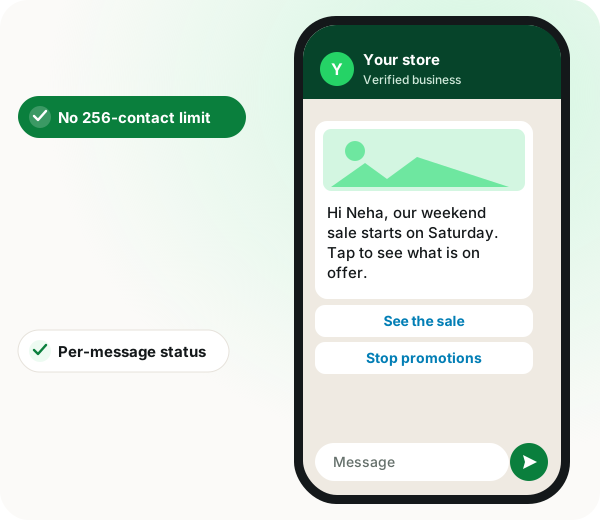
WappBlaster sends broadcasts on Meta's official platform, so there is no 256-contact list cap, and reports delivered, read and failed per message with Meta's reason code.
Audience: every contact, a pasted list, or a saved segment.
Segments resolve at send time, so overnight growth is included.
Opted-out contacts drop out of later sends automatically.
WhatsApp broadcast campaign benefits
No broadcast-list ceiling
Reach far beyond the app's 256-contact list without risking the number.
Per-recipient personalisation
Name, order number, city or amount fill in for each person.
Rich bulk formats
Carousel, limited-time offer, catalogue and multi-product templates go out at scale.
Readable failures
A paused template, a bad number and an out-of-window send are told apart.
WhatsApp broadcast campaign in detail
A WhatsApp broadcast campaign sends one approved template message to many contacts at once, each arriving as a normal one-to-one chat rather than a group. On WappBlaster you send to every contact, to a list of numbers pasted in, or to a saved segment; each recipient gets their own thread, replies land in the shared inbox, and delivered, read and failed counts are reported per message.
Trusted by 3,500+ businesses
4.8 / 5
Meta Tech Provider
D-U-N-S Registered
Some of the businesses using WappBlaster products every day
Capabilities
WhatsApp broadcast campaign: what you get
Everything here is documented and shipping today, not on a roadmap.
Three ways to choose the audience
Send to every contact in the CRM, paste a quick list of numbers for a one-off, or pick a saved segment built from tags, custom fields or activity. The audience is resolved at send time, so a segment that grew overnight goes out to the larger list.
Approved templates, with variables
Campaigns use Meta-approved templates. Personalisation pulls from contact fields, so the name, order number, city or amount is filled in per recipient rather than sent as a generic blast.
Rich formats, not just text
Carousel, limited-time-offer, catalogue and multi-product templates all send in bulk, alongside image, video, PDF, location and button messages.
Delivery reporting per message
Every recipient shows sent, delivered, read or failed. Failures carry Meta’s reason code, so a template pause, an invalid number and an out-of-window send are told apart instead of being lumped into "not delivered".
Opt-out handled for you
Users who opt out are flagged and dropped from later campaigns automatically. That protects the number’s quality rating, which is what governs your messaging limit.
API campaigns with status tracking
Campaigns triggered over the API report delivered, read and failed back the same way as ones sent from the dashboard, so a campaign fired by your own system is not a black box.
How it works
WhatsApp broadcast campaign: how it is set up
1
Import or pick your contacts
Upload a CSV, sync from a connected store or lead source, or select an existing segment.
2
Choose an approved template
Pick from your approved templates and map the variables to contact fields.
3
Send or schedule
Send immediately or set it to go out later. Large sends are paced to respect your messaging limit.
4
Read the report
Watch delivered, read and replied land live, and open failures to see exactly why they failed.
Where it earns its keep
WhatsApp broadcast campaign: common uses
Offer and sale announcements
A dated promotion to a segment that has bought before.
New catalogue drops
A catalogue or multi-product template so the customer browses inside the chat.
Event and webinar invites
Buttons that confirm attendance without the customer typing anything.
Renewal and expiry nudges
Personalised by expiry date pulled from a contact field.
Re-engagement of cold lists
A small segment first, so a poor response never touches the whole list.
Service and outage notices
Utility templates that reach everyone affected in minutes.
All contacts, a quick pasted list or a saved segment
One-off announcements and targeted offers
Template variables
Fills contact fields for each recipient
Order and renewal messages
Per-message reporting
Sent, delivered, read or failed with the reason
Teams measuring campaign results
API-triggered campaigns
Reports status the same way as dashboard sends
Campaigns fired by your own system
When a WhatsApp broadcast campaign is the wrong choice
Contacts who never opted in should not get marketing templates; build consent first or the quality rating and limit suffer.
For a conversation that must adapt to each reply, a chatbot or drip sequence fits better than a single broadcast.
WhatsApp broadcast campaign FAQ
Straight answers about WhatsApp broadcast campaign.
How many contacts can one WhatsApp broadcast campaign reach?
There is no fixed cap in the platform. What limits you is your number’s Meta messaging limit, which starts at 1,000 unique customers per rolling 24 hours and steps up to 10,000, 100,000 and then unlimited as you send quality traffic. Campaigns are paced against that limit rather than failing at it.
No. A broadcast list in the consumer WhatsApp app is capped at 256 contacts and only delivers to people who have saved your number. Campaigns here run on the official WhatsApp Business Platform, so neither restriction applies and every send is reported.
The common reasons are an invalid or unregistered number, a template that Meta paused for quality, a recipient who blocked the business, or hitting the messaging limit for the day. The report shows Meta’s reason per message so you can fix the actual cause.
Yes. Meta requires opt-in before you send a marketing template, and India’s DPDP Act expects the same. Keep proof of how consent was collected, and honour opt-outs, which the platform records for you.
Can I send the same campaign from more than one number?
Yes. Large sends can be spread across multiple WhatsApp API numbers on the same account, which is how very large lists are cleared inside a single day.
How much does a WhatsApp broadcast campaign cost with WappBlaster?
Broadcasting is covered by the flat annual platform licence, whatever the size of the list. The variable part is Meta's charge for each marketing message, which is billed at cost rather than marked up.
Is WappBlaster a WhatsApp broadcast campaign tool?
Yes. You pick an approved template, choose all contacts, a pasted list or a saved segment, and send now or schedule it, with delivered, read and failed reported for every recipient.
What is the best WhatsApp broadcast campaign approach for a cold list?
Test a small segment first. If the response is poor, only that slice is affected, the quality rating of the number is protected, and you can rework the message before reaching everyone else.
Yes. Besides text, broadcasts can carry image, video, PDF, location and button messages, as well as carousel, limited-time-offer, catalogue and multi-product templates.